





 Log In
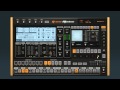
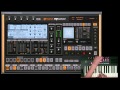
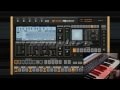
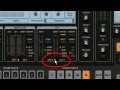
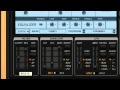
Groove Machine is a virtual groove box designed with live performance in mind, or use it as a synthesizer/drum-machine combination.
Get the groove happening.
Groove Machine’s power lies in its ability to automate every parameter of the sampler, synth and effects channels on a PER-step basis.Get a groove happening quickly and trigger samples, loops and bars/patterns on the fly from your MIDI controller or DAW software.
Focused to live performance.
We recommend a MIDI controller if you want to control Groove Machine live. However, it's still possible to use Groove Machine with a computer mouse and keyboard, just less efficient.
Getting to know Groove Machine.
Learn to know all Groove Machine features in this 10 minute getting started video. Let our FL Guru guide you between the array of Groove Machine options.
- Sampler & Synth channels
- MIDI settings
- Effects
- Linking MIDI controllers
- Sequencing & Loop Recording
- Multiple outputs
10 Performance FX Per Instrument Channel.
Groove Machine comes with 10 FX (per channel) designed to work perfectly with controllers. The X/Y pad links to key features of each effect, ready to be tweaked.
Insanely flexible.
Link track parameters to the 5 CTRL knobs on top-left side. During track progression, control 2 parameters with your 2 hands. Switch between tracks and control these parameters in each selected track. You can even press several tracks and set a parameter for them all at once.
Read How To Activate Your Image Line Products
Features
- 5 hybrid (Subtractive/FM) synthesizer channels.
- 8 flexible sampler channels, each with 4 sample layers.
- Multiple independent outputs for the 5 synth & 8 sampler channels.
- 10 DJ-style effects + EQ and Stutter PER channel.
- Stepsequencer with per-step automation allowing PER step note sculpting of all interface parameters.
- Step / Drum sequencer / Piano roll views.
- Optimized for live performance.
- Internal link system for widest compatibility with MIDI controllers.
- Ideal for dub-step, trance, house & hip-hop producers.
- Available in VSTi, AU & Standalone.
System requirements
- PC:
- Windows 7 & 8, Vista, XP (SP2) - (32 & 64 Bit OS)
- 2Ghz AMD or Intel Pentium 3 compatible CPU with full SSE1 support
- 512Mb RAM.
- 30Mb free disc space.
- DirectSound or ASIO compatible soundcard.
- Mac:
- OSX v10.4 (Tiger)
- G4 1.5 GHz or Intel Core Duo family.
- 512Mb RAM.
- 30Mb free disc space.
- CoreAudio drivers.
Installation
1.Double click the installer file and follow the on screen instructions.
2. Click the Image-Line User Profile link to download your registration key.

3. Register an account with Image-Line to retrieve your Registration Key.

4. In order to get a registration key you will have to Input the serial that is in your Plugin Boutique User Account Area or confrimation purchase email.

5. Read through Image-Line registration page and add your inputed serial. (example is blank for demonstration purposes)

6. Click Next to add your chosen Image-Line software to your account (example is Sytrus for demonstration purposes).

7. Completing your Registration window will appear.

8. Go to My Licenses in your Image-Line account and press the Click to Unlock This Product.

9. Double click on the downloaded FL Reg Key and follow the onscreen instructions to unlock your Image-Line product.


