





 Log In
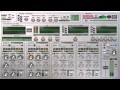
Wouldn't it be cool to have one decent filter and be able to use it in ALL situations? Smell the Quad Frohmage and you'll find the answer. It's said that when a master sculptor stands in front of a new block of marble, he doesn't see a lump of stone. Instead he takes his chisel and releases the shape that is trapped within.
With four channels and eight types of filter at your disposal, you won't need to be a Michelangelo to start drawing fantastic textures out of even the most mundane of sources. Rearrange channels into any combination, should you wish to knock the rough edges off one with a filter on another, or use the link switch to bind the cutoff knobs into an adjustable ratio, for unified effects across the frequency range. And, of course, for polishing up your new creations, each channel is equipped with distortion, pan, delay and volume controls.
Read How to activate your OhmForce products
Trent Reznor
I bought the Oddity a few months ago and couldn’t believe how great it was. I checked out the Quad Frohmage and well, the rest is history.
Coldcut
Creative minds just love the Ohm Force plugins... Especially the Quad Frohmage, full of sonic delights for today’s head!
Features
- Stereo, mono and dual mono processing.
- 30 filter modes for each separate filter. Low and Hi pass: two designs, one being auto resonant, the other more transparent. Each filter design comes with various slopes (12, 24, 36dB).
- Advanced LFO module with 10 LFO types, Sample Hold and smoothness control.
- Each filter band contains additional tap delay and distortion.
- Helpful Copy and Paste feature to duplicate modulation parameters.
- Configurable bands routing.
- Modulation can even be driven by a MIDI keyboard with either velocity or tone. In this last case, you have the possibility to adjust the frequency of the filter to the corresponding note.
- BP, peak, notch, Comb filters, Ring mod, Moog filter emulation.
- Advanced XADSR module with an extra sustain time parameter and an incredibly handy Sensitivity setting.
- 6 envelope followers that can follow the input, the output, one of the bands or the MIDI pitch signal.
- Advanced Envelope Follower module with Attack, Hold and Release settings.
- Apply the modulators to any parameter you want - even the three at the same time, using a factor from -1 to +1.
6 event generators (to trigger the ADSRs). - Nice and intuitive parameter display to see modulation in real time.
PC
Any Windows XP, 2000, Millenium, Vista or Seven
OSX
Any Intel Mac running on OSX 10.+
Available Platforms:
- VST (Win and OSX)
- RTAS (Win and OSX)
- AudioUnits (OSX)
PLEASE NOTE - When you buy a product made by OhmForce on our site you may notice that the serial seems strange - it has a space in it. The space is there for a reason: the first part of the serial is a pre-defined username which you will have to use as the username when entering the user info and serial number.
The format of the serial number is PIB-xxxx 1234-5678-9ABC-DEFG-HIJK where 'xxxx' stands for a real number we provide you. Enter that PIB-xxxx, replacing the xxxx with the actual number you received and the serial number in their respective places.
Oh, and this serial in the example above is just an example and it will not work ;)
Installing on Windows
Run the installer, an .exe file whose exact name depends on the version you have. Follow the on-screen instructions carefully. First, you will have to choose between two interface skins. Please choose one; it will be possible to change it later by installing the software again. You will be prompted to enter both your Username and Key Code, this has been sent to you via email. Please enter those two fields carefully, preferably using copy/paste to avoid typos. Then you will be prompted to choose one or more installation path, depending on the plugin version you are installing.
Installing on Mac OS X
The plugin is delivered as a downloadable .dmg file. Almost every internet browser will open the file right away, mounting a disk on your desktop. If not, please locate .dmg file and double click it.
The Disk Contains
- Quad Frohmage Manual.
- The installer, named Quad Frohmage Installer.
- A folder containing a collection of presets for the Audio Unit preset formats, Audio Unit installer only.
To install Quad Frohmage, double click the installer icon. Before the installer can copy its file, it needs to have the right administrative permissions to do it.
Therefore the first window that will appear will ask for your password.

If you don't have admin rights on the machine, please contact your administrator.
The next screen is the plugin installer. Please follow the on-screen instructions carefully. You will have to choose between Classic Skin and Funky Skin (they cannot both be installed), and you will be prompted to your Username and Key Code.

These have been sent to you via email. Please enter those two fields carefully, preferably using copy/paste to avoid typos.
Installing Audio Unit Presets
You will find a folder containing a collection of presets in the Audio Unit format. Installing them will depend on the host you use. Please refer to your host manual to install them manually.


