





 Log In
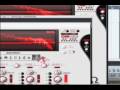
Mobilohm is an advanced multi-phaser effect that lets you create unbelievably unique sounds that aren't available with most other phasers on the market. The reason for this uniqueness is the fact that Mobilohm has 4 independent oscillators, each with its own arsenal of settings. These settings allow you to control status, and panning, as well as feedback level and color.
Each oscillator also includes a bandpass filter with frequency and Q controls. Add to this an adjustable tone and LFO parameters for the entire effect, and you'll find thatMobilohm is an extremely flexible tool. It's great for unique combined 4 phaser effects, electronic music tempo-synced phasing effects, classic 1960's/70's phaser effects, pad effects, guitar FX, rhythm and percussion effects and creative sound mangling.
Read How to activate your OhmForce products
Martin Gore
I'm a fan of your twisted Ohm minds!
Features
- Per-parameter LFOs, extra filters and analog like gain stage.
- Input Tone control to begin carving the sound + Internal analog like gain stage.
- Each oscillator has its own parameters: speed, feedback level + color, and mixing settings.
- 4 phasing unit with a BP filter + 3 phasing algorithms + Pre filtering.
- Option to freeze the phasing oscillations (manual adjustment of the phase).
- Time - Synched phasing matching BPM.
System Requirements
- PC: Windows XP, 2000, Millenium, Vista or Seven.
- Intel Mac running on OSX 10.+
PLEASE NOTE - When you buy a product made by OhmForce on our site you may notice that the serial seems strange - it has a space in it. The space is there for a reason: the first part of the serial is a pre-defined username which you will have to use as the username when entering the user info and serial number.
The format of the serial number is PIB-xxxx 1234-5678-9ABC-DEFG-HIJK where 'xxxx' stands for a real number we provide you. Enter that PIB-xxxx, replacing the xxxx with the actual number you received and the serial number in their respective places.
Oh, and this serial in the example above is just an example and it will not work ;)
Installing on Windows
Run the installer, an .exe file whose exact name depends on the version you have. Follow the on-screen instructions carefully. First, you will have to choose between two interface skins. Please choose one; it will be possible to change it later by installing the software again. You will be prompted to enter both your Username and Key Code, this has been sent to you via email. Please enter those two fields carefully, preferably using copy/paste to avoid typos. Then you will be prompted to choose one or more installation path, depending on the plugin version you are installing.
Installing on Mac OS X
The plugin is delivered as a downloadable .dmg file. Almost every internet browser will open the file right away, mounting a disk on your desktop. If not, please locate .dmg file and double click it.
The Disk Contains
- Mobilohm Manual.
- The installer, named Mobilohm Installer.
- A folder containing a collection of presets for the Audio Unit preset formats, Audio Unit installer only.
To install Mobilohm, double click the installer icon. Before the installer can copy its file, it needs to have the right administrative permissions to do it.
Therefore the first window that will appear will ask for your password.

If you don't have admin rights on the machine, please contact your administrator.
The next screen is the plugin installer. Please follow the on-screen instructions carefully. You will have to choose between Classic Skin and Funky Skin (they cannot both be installed), and you will be prompted to your Username and Key Code.

These have been sent to you via email. Please enter those two fields carefully, preferably using copy/paste to avoid typos.
Installing Audio Unit Presets
You will find a folder containing a collection of presets in the Audio Unit format. Installing them will depend on the host you use. Please refer to your host manual to install them manually.


