





 Log In
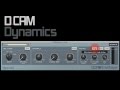
FXpansion DCAM Dynamics offers a variety of different flavours of high-quality circuit-modelled dynamics processing. The included plugins are perfect for everything from taming tricky transients to heavy, creative sculpting effects and everything in between. Classic console bus compression and channel limiting amp processors are provided alongside a transient shaper and frequency-selective compressor making DCAM Dynamics a great all-purpose dynamics toolbox.
With lovingly modelled bus compression and limiting amplifier circuits, DCAM Dynamics' BusComp and ChanComp provide 2 staples of studio compression distilled into plugin form.
The EnvShaper plugin offers envelope-style transient control, allowing you to adjust the attack and sustain portions of complex audio material. Finally, DCAM CrossComp provides frequency-selective compression. Its high-quality crossover allows you to compress a specific range of the spectrum and mix it back in with the rest of the signal, offering flexible approaches to loudness and dynamic tone sculpting without having to use a complicated multiband processor.
All the DCAM Dynamics processors feature saturation circuits, built-in MIDI learn functionality and a variety of monitoring 'listen' modes. DCAM Dynamics operates at 2x oversampling, with a switchable Hi Def mode for 4x oversampling with extremely high quality results.
Awards
Features
- Circuit-modelled plugin compression suite.
- Classic console bus compression.
- Channel limiting amp compression.
- Envelope Shaper for transients in complex mixes.
- Frequency-dependent compression for creative tone sculpting.
- Saturation circuitry modelling.
- 2x oversampling with 4x Hi Def mode for extremely high quality.
- Built-in MIDI Learn for plugin controls.
- Secondary side-chain input and full MIDI control in compatible hosts.
Requirements
- 32-bit and 64-bit support.
- VST, AU and RTAS plugin formats on Mac OSX 10.6.2 and Windows 7.
Install Instructions
1. Unzip the folder supplied by Plugin Boutique and double click on the installer file. You will then be presented with this image that you will have to double click to begin install.

2. Read through the License Agreement and tick I agree followed by Install to continue.

3. Follow the instructions. DCAM Dynamics will now be installed on your machine. Click Done to close window.

4. When you open your DAW you will be prompted to authorize your DCAM Dynamics software. Select DCAM Dynamics and select Authorize and Activate DCAM Dynamics.

5. Input the serial number that is in your Plugin Boutique account and/or confirmation purchase email.

6. Select an Authorization method.

7. Log into your Fxpansion account or create a new one.

8. Confirm the details by pressing Request Authorization. Your DCAM Dynamics will now be activated and available to use in your DAW.


