





 Log In
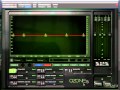
Break the Ozone 5 layer today.
iZotope Ozone 5 is now considered the "go to" plug-in for mastering and polishing sounds inside your DAW. Professional mix engineer Michael Costa takes you deep into this wondrous and powerful plug-in, breaking it down step by step.
Michael starts at the beginning, giving you detailed overviews of the user interface and common controls. He then delves into the powerful EQ module and how to use the "Match EQ" feature to take the sound of your favorite recording and impose it on your track. Next Michael gets into MS Processing, the Reverb Module, Crossover Network and the awesome Harmonic Exciter.
Michael then goes deeper, diving into the fantastic Dynamics section that spans 3 parts. Next up is Stereo Imaging, Maximizing, General Options, and then some tutorials specifically for the Ozone 5 "Advanced" version users.
If you use or want to use Ozone 5, get the most out of it with the most comprehensive video series available... Watch "Ozone 5 Explained" today.
Product Highlights
- 18 Tutorials / Over 3.5 Hours Total Runtime
- For all beginner to intermediate iZotope Ozone 5 users
- Tutorials written by studio master Michael Costa
- Simple to use video control interface for Mac & PC
- Watch Online, Download, Stream to iPad, iPhone & iPod
Features
- Introduction (02m:14s) - Michael welcomes you and provides a quick visual tour of the Ozone 5 plug-in.
- The Interface (15m:49s) - Get a detailed look at the workings of Ozone that are common to all of its modules.
- The EQ Module (14m:56s) - Learn the ins and outs of Ozone's EQ module along with its myriad of filter options.
- Matching EQ (09m:43s) - See how you can use the EQ 'sound' of your favorite track and impose its frequency curve onto your track.
- MS Processing (07m:16s) - Discover the benefits of mid-side mode that's featured in many of Ozone's modules. Discover how to rebalance finished mixes or give them new life by processing the stereo elements independently of the middle.
- Reverb Module (09m:02s) - See how a small amount of quality reverb can really open up an overly tight sounding master.
- Crossover Network (09m:43s) - Understand the workings of the 3 high quality multi-band processors in Ozone 5. See how they can share the crossover network, or not.
- Harmonic Exciter (12m:17s) - Learn how Ozone 5's multi-band harmonic exciter gives you the power to bring elements of your mix out, be it the sparkle of the high end, or the low end warmth.
- Dynamics Pt. 1 (20m:59s) - The first of three movies on the Dynamics module looks at the three dynamic submodules in single band mode.
- Dynamics Pt. 2 (08m:12s) - In the second video we look at MS options and the preferences within this very detailed module.
- Dynamics Pt. 3 (17m:19s) - In this final Dynamics video we add the multi-band options to explore the module even further.
- Stereo Imaging (15m:30s) - Discover how you can manipulate the width of your mixes while exploiting the multi-band elements.
- Maximizer: Limiter (20m:) - The all important brick wall limiter is where your mixes get their volume and power. Watch and learn the many options available here.
- Maximizer: Dither (17m:07s) - Learn to understand the benefits that dither brings with exaggerated examples to illustrate the point.
- General Options (10m:47s) - Ozone has so many preferences. Explore the options available under the 'General' tab and wonder no more.
- Meter Bridge (08m:53s) - One of the best features of the Advanced version of Ozone, the Meter Bridge is a sight to behold!
- Meter Taps (06m:59s) - Another great feature of Ozone 5 Advanced, the Meter Taps allow us to meter our mixes from various alternate mix points.
- Basic vs Advanced (13m:11s) - A run down of all the other features that distinguish the basic version of Ozone from the Advanced version.
Installation Instructions
1. Follow this link and enter the serial that can be found in your Plugin Boutique User Account (Ableton Live Clip Tricks is used as an example)

2. Enter your serial and select Submit your code. Then select Proceed.

3. Fill in your details.

4. Because you have already purchased this course through Plugin Boutique you will simply just need to select Submit Order.

5. Select download.

6. You can now download your course.


