





 Log In
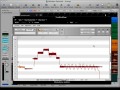
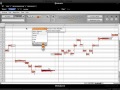
Updated for version 2.0 and presented by DAW and Plug-In pro Eli Krantzberg, this in-depth collection dedicated to Celemony Melodyne is a 'must have' if you're just getting into the world-standard of pitch and time correction, or just want to deepen your understanding of it.
Eli takes you from the very beginning all the way to advanced usage of Melodyne including topics such as window overviews, editing tools, using DNA (Direct Note Access) pitch and time grids, the different versions of Melodyne, advanced routing to and from your DAW, plug-in mode, tempo changes, practical usage and so much more.
In today's 'hyper real' studio productions, you need to stay current with all the latest DAW tools to make your tracks shine. Celemony Melodyne is hands down one of the most used software packages and to get the most out of it, you need to learn it inside and out. Get Melodyne Explained today and conquer pitch and time!
Product Highlights
- 34 Tutorials / Over 4 Hours Total Runtime
- For all beginner to intermediate Celemony Melodyne users
- Contains version 2.0 category covering all the new v2.0 features and functions
- Tutorials written by DAW master Eli Krantzberg
- Simple to use video control interface for Mac & PC
- Watch Online, Download, Stream to iPad, iPhone & iPod
Getting Started
- DAW Plug-In (08m:47s) - See how to transfer audio into the plug-in version of Melodyne Editor from within a host DAW.
- Stand Alone (07m:12s) - Discover the different ways of bringing audio into the stand-alone version of Melodyne Editor, and the different formats available when saving it for the first time.
- Recording in Melodyne (07m:52s) - Learn how to record audio directly into the stand-alone version and either have Melodyne Editor calculate the tempo based on the material, or place it in relation to a predetermined tempo grid.
Navigate and Select
- Navigating the GUI (08m:41s) - Explore how to navigate the timeline, scroll and zoom the display in various ways, and set up cycle playback in both the stand-alone and plug-in version of Melodyne Editor.
- View Options (06m:) - Watch how the different view options affects the display of information in Melodyne Editor.
- The Time Grid (05m:54s) - See how the different time grid settings influence the horizontal movement and positioning of blobs.
- The Pitch Grid (07m:31s) - Discover how to set up the vertical pitch grid so that moving notes snaps them to either the nearest semitone, the nearest scale tone, or independently.
- Selection Techniques (04m:51s) - Learn some different ways of establishing selections based on either pitch or position within Melodyne Editor.
- Copying Notes (07m:04s) - Explore how copying and pasting single or multiple notes can be used to either insert new notes or replace existing ones.
Editing
- Detection & Correction (09m:12s) - Watch how to use note assignment mode to correct any incorrect assumptions made by Melodyne’s detection algorithms after audio has been transferred and analyzed. Using DNA (Direct Note Access) is also shown and explained.
- Mighty Macros (08m:36s) - See how the pitch and time macros are used to correct either multiple or all notes simultaneously.
- Editing Tools Pt. 1 (07m:08s) - Discover how the main tool and pitch tool function differently depending on where they are positioned over each blob.
- Editing Tools Pt. 2 (08m:08s) - Learn how the modulation, drift, formant, and amplitude tools can be used to influence the characteristics of individual or multiple notes simultaneously.
- Editing Tools Pt. 3 (05m:28s) - Explore about the timing tool and note separation tool’s dedicated functions.
Melodyne Specifics
- Plug-In Specifics (08m:16s) - Watch how to automate, manage tempo changes, and handle file management in the plug-in version of Melodyne Editor.
- Stand-Alone Specifics (06m:06s) - See how to correct Melodyne’s tempo interpretation in the stand-alone version of Melodyne Editor.
- Studio Editor Pt. 1 (07m:14s) - Discover how the edit window of Melodyne Studio is both similar and different from Melodyne Editor.
- Studio Editor Pt. 2 (08m:45s) - Learn some different ways of copying notes to new arrangement tracks both from the edit window and the arrangement window.
Advanced Usage
- Melody Manager & Compound Notes (07m:03s) - Explore the Melody Manager's file browser auditioning functions, and see how compound notes are used to gain control and nuance over sustained notes.
- Tweaking the Analysis (11m:06s) - Not happy with the way Melodyne Studio has analyzed your audio? See how to tweak the detection parameters and use correction mode to fine tune the results.
- Setup & Export (09m:35s) - Watch how to set the scale and tuning parameters of an entire arrangement, as well as how to trigger and export the analyzed files as MIDI data, or as audio files.
- Tempo Changes (07m:31s) - See how to create and add tempo changes into Melodyne Studio automatically, manually or using the tempo tapping function.
- Melodyne Bridge (07m:34s) - Discover how to use Melodyne Bridge as a plug-in inside a host DAW to transfer multiple tracks of audio and establish two-way communication with Melodyne Studio.
- Using Rewire (07m:03s) - Learn how to set up Rewire for easy two-way communication and routing between Melodyne Studio and a DAW.
Arrange, Record and Mix
- Arrangement Window Pt. 1 (08m:28s) - Explore how to work with tracks and markers and how to offset pitch, formants, and tempo globally for the entire arrangement.
- Arrangement Window Pt. 2 (06m:55s) - Watch how the advanced selection and 'paste special' commands make for some creative uses, and how to scrub and edit in Melodyne Studio using a MIDI controller.
- Recording & Mixing (08m:01s) - See how to use Melodyne Studio for recording and punching-in, as well as some basic mixing functions.
2.0 Update
- The Time Handle Tool (06m:44s) - See how the new time handle tool is used to influence the evolution of a note. Different stages of a note can be stretched or shortened without affecting its overall timing or duration.
- Attack Speed Tool (06m:06s) - Learn how to use the new attack speed tool to either sharpen or soften that tack portion of a note without influencing the timing or anchor position in relation to the musical grid.
- General Improvements (05m:19s) - Explore some of the general useful workflow and display enhancements in Melodyne 2.0.
- Pitch Grid & Scales (09m:02s) - Discover the new pitch grid and scale editor functions. See how to use the reference pitch ruler to set alternate tunings, the scale ruler to select tonic notes and modes, and the scale editor for choosing alternate scales.
- Editing & Creating Scales (05m:58s) - Learn about Melodyne 2.0’s new Mode ruler and Tuning ruler and see how they are used to edit and create custom scales with custom intervals and alternate tunings.
- Scale Detective (03m:41s) - Explore Scale Detective and see how it is used to tweak the analysis based on either selected notes or all notes. Chromatic non-scale tones can optionally be included in the pitch grid, and custom bottom and top scale ranges can be applied.
- Rewire & Melodyne Singletrack (09m:03s) - Learn how to use Rewire to route audio from the stand-alone version of Melodyne Singletrack into your DAW.
Installation Instructions
1. Follow this link and enter the serial that can be found in your Plugin Boutique User Account (Ableton Live Clip Tricks is used as an example)

2. Enter your serial and select Submit your code. Then select Proceed.

3. Fill in your details.

4. Because you have already purchased this course through Plugin Boutique you will simply just need to select Submit Order.

5. Select download.

6. You can now download your course.


