





 Log In
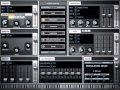
Learn To Tame The Z3TA+2 Beast
Presented by DAW master instructor Doug Zangar, this in-depth series about the powerful and awesome sounding Cakewalk Z3TA+2 will show the deepest features & functions of this amazing virtual synth.
Doug starts off with detailed overviews and basic control usage. He then dives into the Synth Page, demystifying all of its parameters such as oscillators, filter types and controls, envelopes, LFO's and the powerful Modulation Matrix. Next he explores the fantastic built-in Arpeggiator, the Effects Page and all of it's high quality effects. He wraps up the epic series with working with automation and user waveforms and menu items.
A more in depth series of videos on this virtual synth does not exist. If you really want to get the most from this beast, stop and tame it here... Watch "Z3TA+2 Explained" today.
Product Higlights
- 24 Tutorials / Over 2 Hours Total Runtime
- For all beginner to intermediate Cakewalk Z3TA+2 users
- Written by DAW master instructor Doug Zangar
- Simple to use video control interface for Mac & PC
- Watch Online, Download, Stream to iPad, iPhone & iPod
Course Content
First Look
- Introduction & Overview (04m:10s) -Take a tour of the header info, Synth and Effects pages and their sections, and the Preview Ribbon.
- Using Controls (03m:45s) - Discover the differences between faders, knobs, selectors and range controls. PC keyboard and scroll wheel tips included
The Synth Page
- Oscillators - Waveforms (09m:01s) - This video covers the selection area menu items for waves, transpose, octave, sync mode and grouping.
- Oscillators - Shapers (05m:51s) - Take a look at how to shape a wave using the numerous available transformation parameters and route audio through the two filter busses.
- Oscillators - Perform Mode (06m:38s) - Get a tour of the powerful pitch bend parameters and portamento mode. Analog parameters and the X-Y pad are explained as well.
- Filter Types (04m:39s) - The filters types are explained and demonstrated. The filters types are explained and demonstrated. The cutoff and resonance filters are demonstrated.
- Filter Controls (03m:53s) - Reso Boost and signal routing are covered. The Dual and Parallel settings are explained.
- Envelope Generators (06m:15s) - The Envelope Generator section is explained. Amplifier and Pitch are demonstrated.
- LFO Pt. 1 (06m:35s) - The Low Frequency Oscillator (LFO) section is explained. This video covers all parameters and controls when using one of the two available waves.
- LFO Pt. 2 (02m:56s) - The addition of the second wave is explored. The modes to combine wave 1 and wave 2 are covered.
- Modulation Matrix Pt. 1 (06m:12s) - Get a tour on how to use Source, Range and Destination parameters to use an LFO and an EG for modulation.
- Modulation Matrix Pt. 2 (08m:) - This second video looks at Curve and Control menu items. Various routing possibilities are demonstrated using Curve and Control to affect the destination modulation.
The Arpeggiator
- Algorithmic Mode (05m:54s) - This first video looks at the algorithmic patterns created by playing multiple notes. Octave, Sort, Sync, Speed, Mode, Velocity and Length are demonstrated along with the Groove features.
- MIDI Mode (06m:10s) - This second video looks at the MIDI arpeggio and Gate patterns in Z3TA+ 2's collection. Export, import, and edit are demonstrated.
The Effects Page
- Distortion (05m:10s) - Learn how to set up a filter per voice, all filters, or both. Modes and destinations are covered along with tone, gain and the Decimator.
- Modulation (05m:38s) - Chorus, Flanger and Phaser are all available and explained. All the parameters are explained and demonstrated.
- Compressor (04m:26s) - The Compressor threshold, ratio and gain are explained and the modes are demonstrated.
- Delay (06m:02s) - The Delay has three separate delays that work in series. Learn the modes, EQ, feedback and stereo placement.
- Reverb (03m:39s) - The Reverb room modes, size, damping, EQ and level are demonstrated.
- EQ & Simulator (03m:52s) - The modes for the 7 band equalizer are demonstrated as are the Simulator modes.
Working with Automation
- Automation (04m:21s) - This video covers recording and playing back Z3TA+ 2 parameters viaTrack Based Automation.
- MIDI Learn (08m:58s) - The powerful MIDI learn features are covered. Mapping the controller, creating online and offline automation and play back are demonstrated.
User Waveforms and Menu items
- User Waveforms & Program Menu (04m:41s) - Loading custom waveforms in the oscillator and LFO sections are covered. The Program menu items are covered as well.
- Options Menu (02m:04s) - The Options menu items are covered in detail.
Installation Instructions
1. Follow this link and enter the serial that can be found in your Plugin Boutique User Account (Ableton Live Clip Tricks is used as an example)

2. Enter your serial and select Submit your code. Then select Proceed.

3. Fill in your details.

4. Because you have already purchased this course through Plugin Boutique you will simply just need to select Submit Order.

5. Select download.

6. You can now download your course.


