





 Log In
Product information
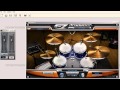
Toontrack EZdrummer is a fabulous tool for creating realistic drum tracks, fast and easy. In this series, EZdrummer guru Mark Struthers shows you how to get this virtual instrument up and running on PC, as well as all of its features and functions.
Mark starts out with detailed introduction and PC installation tutorials, then covers how to setup the Toontrack Solo application. Next, latency and buffer sizes are explained, followed by the EZdrummer user interface.
Mark then shows you how to audition grooves, adjust humanize, velocity and tempo parameters, user grooves, expansion packs, the EZPlayer, working within a DAW and how to use multiple outputs.
The series is wrapped up with in-depth videos showing you how to use the built-in mixer, drum maps for easy editing and a great quick start video that shows you how to easily build a song with EZdrummer.
If you're new to EZdrummer for PC and want to know all about it, this series is for you. Checkout "EZdrummer for PC Explained" today.
Product Highlights
- 15 tutorials / Over 1.5 hours total runtime
- For all beginner Toontrack EZdrummer PC users
- Tutorials written by DAW expert Mark Struthers
- Simple to use video control interface for Mac & PC
- Watch Online, Download, Stream to iPad, iPhone & iPod
Course Content
EZ Drummer for PC Explained
- Introduction - Learn about this course while getting introduced to Toontrack's EZdrummer interface and how it fits in with today's recording studio for easy, realistic and convenient drum track building.
- Installation - Discover information pertinent to installing EZdrummer and its partner program Toontrack Solo.
- Toontrack Solo Set Up - Watch how setting up Toontrack Solo to run with EZdrummer allows the user to run EZdrummer without the need to integrate with third party DAWs.
- Latency & Buffer Size - Learn all about using and adjusting specific drivers to enable low latency performance within EZdrummer.
- Exploring the Interface - Watch an exploration of where the various functions are within EZdrummer and how you can adapt or change the default drum sounds.
- Auditioning Grooves - Discover how to audition the MIDI files, or grooves as they are known, that come as standard with your installation of EZdrummer and how they are categorized for convenience. Additionally, see how you can incorporate grooves from expansion packs.
- Humanize, Velocity & Tempo - Explore simple integrated functions that allow even further realism to be added to the various grooves available.
- User Grooves - See how easy it is to integrate either your own or purchased MIDI drum files into EZdrummer so that they are always available for further usability.
- Expansion Packs - See how to install, access, register and use Toontrack drum expansion packs.
- EZPlayer Overview - Discover Toontrackís EZPlayer to help build complete drum tracks prior to moving to a DAW.
- Working with a DAW - Learn how to set up EZdrummer as a VSTi with a DAW of your choice. Here we use Cubase but the information is relevant for all of today's sequencers.
- Using Multiple Outputs - Discover how to set up distinct drum output routing to enable further tailoring of individual drum sounds.
- Using the Mixer - Explore the convenience of EZdrummer's built in mixer to balance the resulting drum grooves and full track.
- Using Drum Maps - See how to integrate Toontrack specific drum maps with a DAW to allow for convenient drum editing and adapting.
- Song Quick Start - Watch the process of building a song structure with EZdrummer integrated into a DAW and how the resulting drum track can be used with further VST instruments.
Installation Instructions
Installation Instructions
1. Follow this link and enter the serial that can be found in your Plugin Boutique User Account (Ableton Live Clip Tricks is used as an example)

2. Enter your serial and select Submit your code. Then select Proceed.

3. Fill in your details.

4. Because you have already purchased this course through Plugin Boutique you will simply just need to select Submit Order.

5. Select download.

6. You can now download your course.


