





 Log In
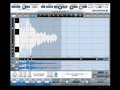
Product information
Presented by DAW expert Michael Costa and officially authorized by Antares Audio Technologies, this collection of video tutorials leaves no Auto-Tune 7 question unanswered. “Auto-Tune 7 Explained” is shown with the newest Auto-Tune 7 and covers every feature and function that Auto-Tune 7 has to offer.
You'll learn both Auto and Graphic Modes, all about the new features including "Time Control", setting up Auto-Tune 7 in your favorite DAW, as well as tips and tricks on how to achieve today’s popular “over-tuned” vocal effects. You'll know how to tune it up like a pro after watching this series.
Product Highlights
- 14 tutorials / Over 2.5 Hours of total runtime
- For all beginner to intermediate Auto-Tune 7 users
- The only Auto-Tune 7 tutorials officially authorized by Antares
- Simple to use video control interface for Mac & PC
- Watch Online, Download, Stream to iPad, iPhone & iPod
Course Content
Introduction
- Welcome to Auto-Tune 7 - Explore Auto-Tune 7's user interface and get a detailed overview of its features and functions.
- What's New in Auto-Tune 7 - Learn all about Auto-Tune 7's newly added features and functions.
Auto Mode
- Pitch Correction Controls - Watch and learn about Auto-Tune 7's detailed pitch correction controls and what they each do.
- The Edit Scale Display - Learn all about Auto-Tune 7's scales and how to edit and customize them for your tuning needs.
- The Create Vibrato Section - See how to add realistic vibrato to a vocal that has little to no vibrato.
- MIDI Control - Explore Auto Mode's in-depth MIDI controls and parameters.
Graphic Mode
- Tracking, Objects & Controls - Learn the needed steps and controls to track your audio into Auto-Tune 7's Graphical Mode where you can more precisely correct it's pitch and timing.
- The Tools - Explore all of Auto-Tune 7's edit tools and what they do.
- The Edit Buttons - Get a detailed overview of Auto-Tune 7's Edit buttons and functions.
- Time Shifting - See how to use Auto-Tune 7's new Time Shifting features and functions.
- MIDI Control - Discover Graphic Mode's in-depth MIDI controls and parameters.
Using Auto-Tune 7
- Special FX - See how to get the now classic "Over-tuned" vocals a la Cher and T-Pain.
- Tuning Instruments - Michael shows you how to use Auto-Tune 7 on instruments other than the voice.
- Putting it all Together - See Michael use Auto-Tune 7 on a vocal and tune it to perfection using all that he has shown you throughout the series.
Installation Instructions
Installation Instructions
1. Follow this link and enter the serial that can be found in your Plugin Boutique User Account (Ableton Live Clip Tricks is used as an example)

2. Enter your serial and select Submit your code. Then select Proceed.

3. Fill in your details.

4. Because you have already purchased this course through Plugin Boutique you will simply just need to select Submit Order.

5. Select download.

6. You can now download your course.


