





 Log In
MMultiBandLimiter is an advanced state-of-the-art multiband mastering brickwall limiter plugin that makes your recordings and mixes sound louder with minimal distortion and artifacts. You don't need a Ph.D. to achieve great professional quality results with our plugin and a little work.
Using a few controls MMultiBandLimiter can basically do the limiting for you with outstanding quality. On the other hand it also allows incredible flexibility if you need it. Starting with a variable number of bands and ending with full automation, MMultiBandLimiter is the most flexible yet easiest way to use a multiband limiter!
Features
- State-of-the-art mastering multiband limiter with adjustable knee, threshold, input gain and other important parameters, which automatically handle look-ahead and other features for you. It's flexibility is outstanding, however it's workflow is still incredible - you can basically perform limiting only by adjusting input and output gain!
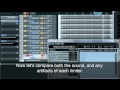
- Powerful metering system - you always know the output level and gain reduction for each band as well as master output, gain reduction and saturation reduction. You can often get great results without even listening to it!
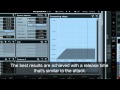
- 3 limiting modes - besides manual limiting, where you have to modify any advanced parameter manually, MMultiBandLimiter provides 2 additional modes optimized for increasing loudness and minimizing pumping effect.
- Dual user interface - the plugin is not only extremely versatile, but also quick and easy-to-use thanks to 2 graphical user interfaces. First there is a simple default one with several predefined modes, but just a few controls, which lets you start quickly and easily without any knowledge. All you need to do is choose what you want and use a few knobs. And the plugins also has an advanced mode, which provides all the extreme features the plugin offers.
- 1-6 fully configurable independent bands built on 3 perfectly transparent crossover algorithms (analog, linear-phase and hybrid) with fully adjustable limits and input gains. Includes peak meters for all bands and the master.
- Up to 8 channels surround processing - our plugins can handle not only mono and stereo signals, but also up to 8 channels of surround audio, making them ideal for audio production for movies, games etc.
- Full randomization - using a single button you can generate completely new settings. By clicking the button you can walk through the billions of possible settings and find the best one for you! And if that's too much, you can just hold ctrl and MMultiBandLimiter will only slightly modify existing settings.
- Adjustable up-sampling 1x-16x to minimize aliasing and get an even clearer sound.
- Extremely advanced and easy-to-use user interface - our products are always designed to enhance the workflow. You can easily change all values, fine-tune each control in multiple ways. Easy orientation in a standardized GUI, textual editing and smooth visualization with almost unlimited zooming are standard in all of our plugins. Moreover our plugins are the world first (and still the only ones), which support resizable and stylable GUI's.
- MIDI controllers with MIDI learn - you can map any parameter to any MIDI controller or MIDI keyboard and control it realtime or record and automate it.
- Very fast, optimized for SSE and SSE2 processors.
- Global preset management and online preset exchange - using a title button you can save your settings (which are shared on the computer) so you can easily access these in other songs. Moreover all plugins can automatically share your presets and download presets of other users from our servers (if this feature is enabled). We are building a community and you can be a part of it!
- Fully Automatable.
Requires
- Windows XP/Vista/7 (32-bit or 64-bit)
- VST/VST3 compatible host (32-bit or 64-bit)
- RTAS compatibility is being implemented.
- Intel/AMD processor, SSE2 & multi-core support recommended.
- With ImageLine FL Studio please do NOT use VST3 at the moment. Problems shall be fixed in a FL Studio update.
- Mac OS X (10.5 and newer)
- VST/VST3/AU compatible host (32-bit)
- RTAS and 64-bit compatibility is being implemented.
- Intel/AMD processor, SSE2 & multi-core support recommended.
- Please always check the demoversion before purchasing to avoid potential compatibility problems.
AU version is not compatible with Apple SoundTrack Pro and Vienna Ensemble. - 64-bit Windows note - the plugin version must be compatible with your host. On 64-bit operating system you can have 32-bit and 64-bit hosts. If your host is 64-bit, you need 64-bit version of our plugins. If your host is 32-bit, you have to use 32-bit version of our plugins.
- Licence protection - The software currently uses keyfile licencing. No dongles, hardware devices nor internet connection are required. Keyfiles contain your personal information, so if you share it, you will be traced and prosecuted.
Installing Melda
Important note - You will need to register your plugin at Melda with this URL to activate your software http://meldaproduction.com/getlicencefile.php after following the steps below.
1. Double click the installer file and follow these on screen instructions (example shows MTotal Bundle for demonstration puroposes)
2. Click Next to continue.

3. Read through the license agreement and click Next to continue.

4. Select the components you wish to install.

5. Specify your installation directories, then click Next.

6. Your Melda software will now be installed onto your computer.

7. Go to this URL http://meldaproduction.com/getlicencefile.php to activate your License Key. Fill in the on screen information and click Submit. Enter the serial displayed in your Plugin Boutique User Account Area or purcahse confirmation email into the Your License Key box.

8. Now download your license file.

9. Open up your purchased software and drag and drop the licence_???????.mlf onto the plugin main window. A new screen appears with your details will appear, if the information displayed is correct press the tick and you install is complete.


