





 Log In
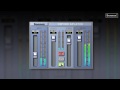
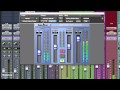
The Inflator is a unique process that can provide an increase in the apparent loudness of almost any programme, without obvious loss of quality or audible reduction of dynamic range, yet avoiding damaging increases in the peak level of the signal. The inflator process can also bring power, presence and warmth to programme material and even provide headroom overload margin above digital maximum with a subtlety and musical character reminiscent of tube systems.
Use the Inflator to produce louder mixes than you thought possible without overloads or compression pumping, or use it to add natural warmth and character to acoustic or jazz mixes.
Features
- Fully 64-bit compliant
- Adds presence and tube-like warmth
- Increases perceived loudness of any material
- Provides virtual headroom above digital maximum
- Direct and band-split modes
-OP-400.jpg)
System Requirements
Pro Tools
- Pro Tools 7, 8, 9 & 10
- Approved Pro Tools CPU, OS and hardware configuration : avid.com
- Mac OSX 10.4 or later /
- Windows XP / Vista - 32 & 64 bit / Windows 7 - 32 & 64 bit
- RAM 1GB minimum
- iLok key with latest drivers
- 2nd Generation iLok required for AAX plug-ins 2
Audio Units
- Pro-Codec is compatible with Intel Mac only
- Audio Units compatible application (Logic, Digital Performer etc.)
- Mac OSX 10.4 or later
- RAM 1GB minimum
- iLok key with latest drivers
- 2nd Generation iLok required for 64-bit plug-ins 3
VST
- VST compatible application (Cubase, Nuendo, Wavelab, Sequoia etc.)
- Mac OSX 10.4 or later
- Windows XP / Vista - 32 & 64 bit / Windows 7 - 32 & 64 bit
- RAM 1GB minimum
- iLok key with latest drivers
- 2nd Generation iLok required for 64-bit plug-ins 3
All Sonnox plug-ins are compatible with Mac OSX 10.7 Lion
Activation
To activate your Sonnox software please follow these simple steps.
Please note you need an iLok and an iLok account in order to activate your Sonnox Software. If you do not have an iLok, it can be purchased here and your account can be created here .
1. You will find your serial number in your Plugin Boutique user account and purchase confirmation email.
2. Visit http://www.sonnoxplugins.com/ws/pub/register/register1.html
3. Read the Sonnox Software Licence Agreement. Click I Agree at the bottom of the page.

4. Input your serial number received from Plugin Boutique into the Activation Key box and click Proceed. (Your serial will be 14 characters)

5. Complete the Customer Registration Page

6. Click Authorise

7. Enter your iLok account details, then click Submit


9. Your iLok account will have now been updated and you will be able to download the installers and manuals for your Sonnox Software.

10. Finally sync your iLok with your iLok account to transfer the licences to the iLok.


