





 Log In
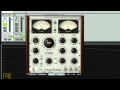
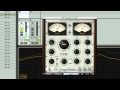
PSP VintageWarmer2 is a high-quality digital simulation of an analog-style, a single- or multi-band compressor/limiter. It combines rich, warm analog processing with a straightforward user interface, and comes with a comprehensive library of presets. The plug-in processor is highly flexible and can be used for both softknee compression and brick-wall limiting. This makes it an essential tool for mixing and mastering engineers. Careful attention has been paid to PSP Vintage Warmer's overload characteristics with the processor being capable of generating saturation effects typical of analog tape recorders. PSP Vintage Warmer also incorporates professional VU and PPM metering together with accurate overload indicators thereby assuring professional quality results.
PSP VintageWarmer2 version 2.5.0 installer contains 3 versions of the plug-in:
- PSP MicroWarmer which provides the same sound quality as it's big siblings, but with a simplified single-band interface and low latency performance optimized for use on individual tracks;
- PSP VintageWarmer (LE) which is a direct descendant of the original PSP VintageWarmer with its all strengths such as low resource usage and latency;
- PSP VintageWarmer2, the main addition being the FAT double sampling mode for even more analog sounding processing.
We strongly recommend that you use the PSP VintageWarmer (LE) or the PSP MicroWarmer in all multitracking applications except situations where FAT mode is important. The PSP VintageWarmer2 is recommended for mastering purposes and groups or master busses only.
NOTE: Read How to activate your PSP Audioware plugins
Features
- High quality signal processing algorithms
- Single or multi-band signal processing
- FAT (Frequency Authentication Technique) PSP's double sampled processing
- 64-bit floating point precision
- Shelf filters for bass and treble frequencies in single-band processing mode
- Control of bass and treble signal components in multi-band processing mode
- Accurately calibrated VU and PPM meters with the overload indicators
- Disengagable brick-wall limiting
- Two Release Mutliplier ranges for fast or relaxed processing
- Semi Automated Release mode.
- Up to 192kHz sample rates supported
- Library of presets
Applications
- Optimising the density and average signal levels of recordings during mixing or mastering
- Shaping the dynamics of recordings during mixing
- Adding warmth to individual tracks or complete mixes
- Adding analog tape-style compression to individual tracks or complete mixes
System Requirements
PC
VST
- Windows x32 or x64 (XP Service Pack 2, Vista or 7)*
- VST 2.4 compatible application
RTAS
- Windows x32 or x64 (XP Service Pack 2, Vista or 7)
- ProTools LE 8.0.0 or ProTools TDM 8.0.0 (or later)
Mac
AudioUnits
- Mac OSX 10.5 or later
- 32 or 64-bit host application capable of running AudioUnit plug-ins with Cocoa view
VST
- Mac OSX 10.5 or later
- 32 or 64-bit VST 2.4 compatible host application
RTAS
- Mac OSX 10.4 or later*
- ProTools LE 8.0.0 or ProTools TDM 8.0.0 (or later)
Installing on Mac
1. Open up .dmg double click the installer file.

2. Read the introduction and click Continue.

3. Click Continue.

4. Read through the License Software Agreement and click Continue and Agree.

5. Click Install.

6. You will then be asked to input your administrator password.

7. Installtion Complete.

8. Go this URL https://www.pspaudioware.net/register/login.php and sign up for an account with PSP.

9. Select Manual Activation and input the serial that resides in your Plugin Boutique User Account or purchase confirmation email. Then in your PSP Customer account you will be able to view your registration key.

10. Open up your purchased PSP software (e.g is Lexicon PSP) and enter your PSP authorization name and registration key in your PSP customer account, then click Activate.


