





 Log In


Fresh Approach to Volume
Whether you're composing or mixing, VolumeShaper gives you a creative, intuitive way to shape level. Some examples of what you can do...
The Ducking Effect
Essential for modern mixes, the well-known ducking/pumping effect of sidechain compression creates extra rhythmic drive and provides space for the kick drum in the mix. VolumeShaper gives you this same effect with absolute control — just draw the sound you want.
Define your Audio Loops
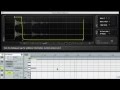
VolumeShaper's new oscilloscope displays the incoming audio, helping you to precisely define audio levels. In a drum loop, regulate levels for snare and hi-hat etc with just a few clicks. Or edit unwanted notes out of a loop. From smooth bezier curves to hard cuts, you decide.
Trance-gate
VolumeShaper makes it easy to draw smooth, musical curves. And if you prefer hard steps, you can do that, too, for a trance-gate effect. Either synced with your host sequencer, synced to the frequency of the played note, or running freely at ranges from 0.02 Hz up to 5.24 kHz.
Audio Destruction
Run VolumeShaper's LFO fast, up to the audible range, for punishing bit-crushing effects. Or set the LFO to the frequency of the MIDI notes that you play for ring modulation effects.
Features
Unique Waveform Editing
Just like using a graphics program, draw waveforms with ease and precision. Create smooth bezier curves, peaks, cuts and slopes using soft or hard breakpoints, producing gentle transitions or sharp bends in the waveform.
The LFO
This LFO can take you places. Set it free-running, synced to the beat of your sequencer or synced to the frequency of a note you're playing, from long, evolving LFO lengths right up to the audible range.
New: MIDI Triggering
VolumeShaper is an audio effect, but can receive MIDI from your host sequencer or any virtual or physical MIDI port. Extremely useful. For example, set it to retrigger the LFO when you play a note — perfect for defining the volume envelope of your synths and drum players. You can even set the LFO to the frequency of the note that you play.
New: Oscilloscope
Get a good look at your sounds: A sample-accurate oscilloscope displays the incoming and processed audio signal, so you can see exactly where to draw the curve. Allows faster and more accurate edits.
User-friendly Design
All the controls are available within a single window, in a clear, neatly-organized design that still looks OK after six solid hours in the studio. Version 3 features improved contrast and a fresh color scheme.
Parameter Automation
From LFO speed to waveform selection, absolutely everything can be automated. Our tip: Automate the shapes of the waveforms and breakpoint movements for dynamic effects.
Exceptional Sound Quality
VolumeShaper computes the audio at a per-sample basis. Its LFO is interpolated with cubic interpolation and will always stay in sync, even when you make tempo changes in your host software, or jump ahead to different parts of your track.
System Requirements
Windows:
- 2 GHz CPU
- Windows XP, Windows Vista, Windows 7
- Sound card with ASIO driver support recommended
Supported Formats:
- VST, RTAS (Pro Tools 8 and higher)
- 32- and 64-bit
Mac:
- 2 GHz Intel CPU
- Mac OS X 10.5 or later
Supported Formats:
- VST, AU, RTAS (Pro Tools 8 and higher)
- 32- and 64-bit
Awards

David Guetta
David Guetta on cutting a kick to fit with the bassline: "Very very recently I've found a way to do it that is really amazing, I actually did it here.. the sidechain that I am using with the bass is something that is called VolumeShaper".
Lutzenkirchen
"VolumeShaper and FilterShaper are for me the go-to bread-n-butter tools that I've used in every production every day since I've had 'em. Period."
Installation Instructions
1. Go here, enter your email address and serial that can be found in your Plugin Boutique User Account or confirmation email.

2. Cableguys will send you a Licence Key via email.
3. Attached to the email from Cableguys will be your Licence Key. Download, unzip and save to your computer - file directory of your choice.
4. Go back to your email and follow the link provided - you can also access the link here.
5. Input your email address and password Cableguys provided in their email. You will need this to access your installers. - We recommend you copy and paste the password.

6. Download your installer from this page.

Installation on Mac OSX
Audio Units
Just copy the 'VolumeShaper3.component' plugin package to your AU plugins folder and the restart your host application.
The path will most likely look like this - /Library/Audio/Plugin-Ins/Components
Note - The default version of the plugin has display problems in some older 32-bit AU hosts. Please use the version from the 'Legacy' folder if you experience these issues. The legacy version matches the default version, but uses a different graphics engine.
VST
Just copy the 'VolumeShaper3.vst' plugin package to your AU plugins folder and the restart your host application.
The path will most likely look like this - /Library/Audio/Plugin-Ins/VST
RTAS
Just copy the 'VolumeShaper3.dpm' plugin package to your AU plugins folder and the restart your host application.
The path will most likely look like this - /Library/Application Support/Digidesign/Plug-Ins
Installation on Windows
Drag the .dll file into your VST plugins folder. The path will most likely look like this - System (C:)/Program Files/Steinberg/VstPlugins

Now load up VolumeShaper3 in your DAW. Enter your email address and select Choose Key. You will now need to locate the Licence Key you downloaded and saved from step 3. Open, select Unlock and VolumeShaper3 will now be authorized on your machine.


