





 Log In
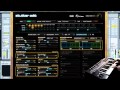





How Does It Work?
Stutter Edit's features revolve around an innovative engine that continuously samples live audio, storing that audio in a buffer that can be manipulated in a myriad of ways.
The key to unlocking Stutter Edit's capabilities is the use of Gestures: a set of effects and their associated timelines that reside on a single MIDI note. The audible result of a Gesture can vary from simple to complex—a Gesture could simply repeat a small chunk of audio at an 1/8 note rhythmic rate, or it could trigger a run of raging glitches that get decimated by a bit crusher before being filtered into a wash of echoes. Whoa.
Condensing such sonic adventures into a single key press is what makes Stutter Edit so playable, especially with its intelligent sense of timing. Stutter Edit is designed with musicality in mind, which frees you to make wild sounds that still feel like a natural part of your tracks. Outside of the studio, couple Stutter Edit with a host like Ableton Live to rocket your performances into a new world of organic improvisation.
The best way to learn more is to simply start playing, listening, and observing the power of Stutter Edit's controls.
Features
- Play effects like an instrument.
- Remix in real-time, on stage or in the studio.
- Cutting edge audio slicing and manipulation.
- Elegant and intuitive MIDI control.
System Requirements
- Windows (XP, x64, Vista, 7)
- Mac OS X 10.5.8 or later (Universal Binary)
- VST 2.4, VST 3, Audio Unit, Pro Tools 7.4+ (RTAS only)
Stutter Edit works differently than other audio effect plug-ins, it requires MIDI input from your host to trigger its effects. Not all hosts allow you to send MIDI to audio effects.
Fully Supported Hosts
Apple Logic, Ableton Live, Pro Tools (7.4+), Cakewalk SONAR, Steinberg Cubase 4+/Nuendo 4+, Image Line FL Studio, Cockos REAPER, MOTU Digital Performer
1. Once purchased please go to your Plugin Boutique user account and download the installer provided. This product's Demo and Full version downloads require you to enable pop-up windows. Please allow pop-ups in your browser for this site only in order to be able to download the plugins. We do not use the pop-up windows for any purpose other than being able to track the count of downloads. We will not attempt any malicious actions against you when you enable pop-up windows.

2. Read through the iZotope License Agreement and select 'I Agree' to continue.
3. You will then need to select the file destination in which Stutter Edit will be saved.

4. You will be able to select whether you would like to check for any software updates.

7. Your software is now ready to install.

8. Select Finish to exit setup.
9. Your software is now installed on your computer. Select Authorize to continue.
10. Fill in the authorization form. The serial will be found in your User Account and/or in your purchase confirmation email. If you are an ilok user, type in your ilok user ID.

iZotope also offer other means of authorization. Please refer to the videos below for Offline, Challenge/Response and ilok.
1. Offline Challenge/Response File.
2. Offline Challenge Response Code.
3. ilok Authorization.


