





 Log In

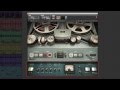
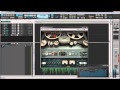

Waves and Abbey Road Studios present the J37 tape saturation plugin, a precision model of the very machine used to record many of the greatest masterpieces in modern music. With a variety of user-adjustable controls including Tape Speed, Bias, Noise, Saturation, Wow and Flutter, the Waves: Abbey Road J37 faithfully recreates the inimitable sonic signature of the original machine. In addition to the J37 itself, three exclusive oxide tape formulas have been modeled. Specially developed by EMI during the ‘60s and ‘70s, each formula has its own unique frequency response and harmonic distortion behavior. In order to push the envelope even further, a comprehensive Tape Delay unit has been added to complement those warm tones.
The Waves: Abbey Road J37 tape emulation plugin will bring stunning analog warmth to your digital recordings, delivering a level of hardware realism never before experienced “in the box.”
Features
- Tape saturation plugin
- Created in association with Abbey Road Studios
- Modeled on the machine used to create countless classic '60s tracks
- Includes models of three exclusive tape formulas developed by EMI
- Adds analog warmth to digital recordingsControls for Bias, Wow, Flutter, Tape Speed and more
- Comprehensive Tape Delay including three different delay types, Sync, LP and HP filter controls and more
Behind the J37 Tape
The original J37 was a 1" 4-track machine designed by Swiss recording pioneer Will Studer. Released in the early 1960s, the J37 was Studer’s first multi-track machine and a true technological breakthrough, embodying versatility, functionality and simplicity in what was then a state-of-the-art machine.
In 1965, Abbey Road Studios purchased four new J37s, which were used on almost every recording until 8-track machines were introduced to Abbey Road Studios in 1969. Prior to the J37, Abbey Road used a 4-track Telefunken tape machine, which was a large and cumbersome contraption that required a separate machine room. This caused communication issues between the producer and tape operator, which complicated and prolonged the recording process. In contrast, the J37 was small enough to be placed directly in the control room, opening up the creative potential for multi-track recording.

Following the rigorous testing process required by EMI of all equipment used at Abbey Road, four modifications were made to the J37s. Firstly, wheels were added to make the units easily transportable. Secondly, a Bulgin 3-prong socket was installed to enable the connection of an oscillator, which was handy when using the machine at non-standard speeds. The 4-track Telefunken machine used before the J37 stored the tape with the oxide facing outwards, so a reverse switch was added to the back of the J37 to enable easy playback of these tapes. Finally, the EQ preset switch, which originally offered the option of NAB (American) or CCIR (European) broadcast curves, was locked to CCIR, the EMI-approved curve.
The frequency response of the machine was outstanding, reaching 18 kHz at the high end EQ which, along with its 52 vacuum tubes, enabled it to produce a rich spectrum of tonal colors. Part of the distinctive sound of recordings made at Abbey Road Studios during the 60s and 70s was down to the use of special tape formulas, developed by EMI for exclusive use in its studios: EMI TAPE 888 (early ‘60s), EMI TAPE 811 (mid ‘60s) and EMI TAPE 815 (early ‘70s). Each possessed its own unique frequency response and harmonic distortion behavior, which lent a distinctive timbre to the recordings for which they were used.
While the J37 was used on many famous recordings, it is perhaps best known for its innovative use on The Beatles’ Sgt. Pepper’s Lonely Hearts Club Band. Producer George Martin utilized the machine not only for recording but also as a creative production tool, bouncing tracks between two J37s and creating layer upon layer of sound to achieve groundbreaking sonic textures.
System Requirements
- Mac
- CPU - Core Duo 2.3Ghz
- RAM - 4 GB
- Operating System - 10.6.8 - 10.8.3
- Screen Resolution - 1024x768
- Windows
- CPU - Core Duo 2.3Ghz
- RAM - 4 GB
- Operating System - 10.6.8 - 10.8.3
- Screen Resolution - 1024x768
- CPU - Intel Core 2 Duo 2GHz | AMD Athlon 64 or equivalent
- RAM - 4 GB
- Operating System - Windows 7 | Windows 8
- Screen Resolution - 1024x768 32-bit
Awards
Trial Version Installation Instructions
1.
Download the Waves Complete Web Installer. On a PC run the WOLI.exe file, on Macs unzip and launch the WOLI_V9.app. After you launch it you will see the following screen:

2.
Click on Continue. Read the License and then click Continue again. You will be prompted to Agree or Disagree with the License terms. Once you agree you will see a list of all Waves plugins and bundles, as pictured below:

2a.
If you are looking for the Single plugins they are at the bottom of the long list. They are there as a single collapsed item and you will need to click the small triangle next to the "Single Plug-ins" to expand and see the full list. Then proceed as normal.

3.
Tick the checkbox next to the product that you wish to have installed. This installer will take care of the download - this is what it will look like:

4.
Once the download is complete the installer will ask you to quit all running audio applications. Once you've done that the plugins will begin installation. This may take up some time so be patient at this point. When this process finishes - the installation is complete and you can run your trial version now.


