





 Log In

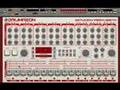
Devastor is a simple but remarkable Multiband Distortion Unit. It is an enhanced version of the distortion unit from our synth Phoscyon. Being multiband, the sonic mangling capabilities are endless!
Structure
Devastor consists of three blocks: dynamic-gain module, diode-clipper distortion and three filter sections. Each of the filters can process the signal before or after the diode-clipper. The filters are not the peaking EQ type which are used in classic multiband distortion They are like those found in analog synthesizers (low pass, high pass, band pass and band reject)- with adjustable resonance and cutoff. As a result, Devastor has a completely unique sound - just check out the Factory Presets.
Versatile and advanced
Devastor can used to distort and enhance a wide range of sounds - From full-on acid synth sounds to guitar fuzz or analog amp with combo speaker. It can even be used with drums to make them sound more dirty and dynamic! Devastor isn't just good at creating distorted monster sounds. It can also be used subtlety to improve the timbre and character of more gentle sounds. Reducing the preamp gain, increasing the threshold and selecting a soft-knee for the dynamics will bring out more warmth and detail in a sound without introducing distortion.
When designing Devastor, we applied special antialiasing techniques to the output signal to make sure the signal had no aliasing (aliasing is one of the reasons why digital distortion units sound so cold and un-musical). As a result, Devastor has a warm, musical and very high quality sound.
Awards

Features
- Probably the best diode-clipper emulation
- Analog-like filters
- Dynamics flattener
- Presets organised into groups
- MIDI learn function
- Pre/post processing mode for each filter
- 64bit internal processing
- Low aliasing output
System requirements
PC
- OS: Windows XP, Windows Vista, Windows 7
- CPU: 2.8 Ghz with SSE (i7 based 3.7 GHz recommended)
- RAM: 1 GB (1.5 GB recommended)
- Software: VST host (32bit or 64bit)
Mac
- OS: 10.6.x or 10.7.x
- CPU: Intel based 2.8 Ghz with SSE (i7 based 3.4 GHz recommended)
- RAM: 1 GB (1.5 GB recommended)
- Software: AU or VST host (32bit or 64bit)
Install Instructions
1. Double click the installer and select Run.

2. Select Next.

3. Read through the license agreement and select Next.

4. Select where you want your software to be installed and then select Next.

5. Select Install.

6. Select Finish to complete installation.

7. When you load up your software it will be displayed as a demo version.

8. Go to https://userarea.d16.pl/index.php and create an account with d16, or login into your existing account with them.
9. Click on the link that allows you to unlock your software and enter the serial you received from Plugin Boutique. This serial can be found in your user account area or in your purchase confirmation email.
10. Download the keyfile and save it in the same folder as the initial installer file. Now the keyfile is saved onto your computer, your software will work.
11. Launch your software and click activate - a window will open that will ask you to point to the saved keyfile. This should have been saved in the same folder as your installer file.


