





 Log In
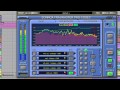

The revolutionary Sonnox Fraunhofer Pro-Codec plug-in enables the auditioning, encoding and decoding of audio with codecs such as mp3 and AAC, making it possible to produce online-ready mixes in real time!
For the first time, the Pro-Codec enables engineers to use Apple’s iTunes Plus codec for real-time auditioning, making it a powerful, time-saving tool to efficiently mix directly for the Mastered for iTunes programme. Now the exact same clipping behaviour of the iTunes encoding chain can be monitored and levels corrected if necessary, saving time and ensuring high quality output during the mixing process. [iTunes Plus codec included in the Mac version only.]
Also integrated into the plug-in are Fraunhofer's own AAC and mp3 codecs, including MPEG Surround and multi-channel AAC formats for surround mixing.
The Pro-Codec's extensive monitoring tools and built-in encoding/decoding features enable mixes to be optimised for specific target formats, ensuring maximum fidelity for final encoding and distribution.
Features
- Supported Codecs:
- mp3, Apple AAC iTunes+ [Mac only], AAC-LC, HE-AAC, and HE-AAC v2
- mp3 Surround, MPEG Surround, AAC-LC multi-channel, HE-AAC multi-channel
- mp3-HD and HD-AAC (Lossless Codecs)
- Ability to select up to five codecs for simultaneous export, in real time, to encoded files
- Comprehensive auditioning with glitchless switching
- Ability to audition the difference between input signal and codec output
- AB auditioning in real time between codecs, or between codec and input signal
- ABX mode for blind statistical testing
- Graphical displays include:
- High resolution display of the Input signal and Diff signal.
- Indication of the audibility of audio removed by the encoding process
- Bitstream levels and ability to compensate for overloads
- Indication of filesize or datastream compression
- Phase metering
- Off-line encoding and decoding
- Compatible with many digital audio workstation applications, such as:
- Pro Tools, Logic, Cubase, Nuendo, Sequoia and Wavelab. (Mac and PC)
System Requirements
Pro Tools
- Pro Tools 7, 8, 9 & 10
- Approved Pro Tools CPU, OS and hardware configuration : avid.com
- Mac OSX 10.4 or later /
- Windows XP / Vista - 32 & 64 bit / Windows 7 - 32 & 64 bit
- RAM 1GB minimum
- iLok key with latest drivers
- 2nd Generation iLok required for AAX plug-ins 2
Audio Units
- Pro-Codec is compatible with Intel Mac only
- Audio Units compatible application (Logic, Digital Performer etc.)
- Mac OSX 10.4 or later
- RAM 1GB minimum
- iLok key with latest drivers
- 2nd Generation iLok required for 64-bit plug-ins 3
VST
- VST compatible application (Cubase, Nuendo, Wavelab, Sequoia etc.)
- Mac OSX 10.4 or later
- Windows XP / Vista - 32 & 64 bit / Windows 7 - 32 & 64 bit
- RAM 1GB minimum
- iLok key with latest drivers
- 2nd Generation iLok required for 64-bit plug-ins 3
All Sonnox plug-ins are compatible with Mac OSX 10.7 Lion
Awards
Activation
To activate your Sonnox software please follow these simple steps.
Please note you need an iLok and an iLok account in order to activate your Sonnox Software. If you do not have an iLok, it can be purchased here and your account can be created here .
1. You will find your serial number in your Plugin Boutique user account and purchase confirmation email.
2. Visit http://www.sonnoxplugins.com/ws/pub/register/register1.html
3. Read the Sonnox Software Licence Agreement. Click I Agree at the bottom of the page.

4. Input your serial number received from Plugin Boutique into the Activation Key box and click Proceed. (Your serial will be 14 characters)

5. Complete the Customer Registration Page

6. Click Authorise

7. Enter your iLok account details, then click Submit


9. Your iLok account will have now been updated and you will be able to download the installers and manuals for your Sonnox Software.

10. Finally sync your iLok with your iLok account to transfer the licences to the iLok.


