





 Log In
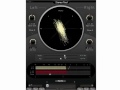

Stereo Tool features ultra precise control of input gain and individual pan for left and right channels. A phase inverter is available on each channel. Global stereo pan and stereo width settings are also implemented to complete the management of the stereo signal.
Stereo Tool also offers accurate visual feedback reflecting the signal content. A vector scope display, PPM meters for both inputs and outputs, and a phase correlation meter permanently monitor the signal.
Inserting our Stereo Tool after a BitterSweet II, will open your mind to new ways of controlling the stereo stage. Like all Flux:: plug-ins it features 64 bit floating point processing, up to 8 FS (384 KHz).
Stereo Tool is only available in native version for AU, RTAS and VST.
Neither Flux or iLok dongle are required.
Features
Signal Processing Features
- Plug-in Input Gain controls for adjusting the level for left and right channels before processing.
- Phase, inverts the phase of the incoming signal on left and right channels.
- Panning, Individual pan control for left and right channels.
- Global Stereo Width and Pan settings providing precise management of the stereo signal.
- Bypass routes the incoming signal direct to the output for a true smooth transition between processed and clean signal.
Preset and Parameter Handling
Preset/Parameter slots
To enhance the workflow the two Preset/Parameter slots, A and B, can be loaded with two full set of parameters at the same time. Apart from saving each preset, a "Global Preset" containing both the A and B settings, and the position of the "Morphing Slider", can be saved.
Parameter Morphing Slider with Automation
The Morphing Slider provides morphing between the parameter settings of slot A/B allowing for really creative and useful real-time tweaking. Enabling the Automation control button exposes the Morphing Slider to the host automation.
System Requirements
- Windows - XP, Vista, 7 all in both 32 and 64 bits.
- VST (2.4)
- RTAS*
- Mac OS X (Intel) - 10.5, 10.6, 10.7 in 32 bits.
- VST (2.4)
- AU
- RTAS*
*The RTAS version requires ProTools 8 or later.
Installing on Windows
1. Unzip and open the .exe file that you downloaded from Plugin Boutique. This will be in your account for future reference. Select Next to continue.

2. Read through the License Agreement and select Next to continue with Installation.

3. Choose the setup type that best suits your needs.

4. Stereo Tool is now ready to install, select Install to complete.

5. Flux Stereo Tool is now installed and ready for use.

Installing on Mac
1. First unzip the .dmg installer you have download from Plugin Boutique. This will be in your account for future downloads. Double click Flux Plugin Stereo Tool.pkg to start installtion.

2. The Welcome To Flux page will appear, select Continue to install.

3. Read through the Software License Agreement and select Continue and Agree to proceed with Installation.

4. Select the destination in which Stereo Tool will be installed.

5. Stereo Tool is now ready to be installed. Select Install to continue.

6. You will then be prompted to enter your admin password.

7. Installation is now complete.


