





 Log In
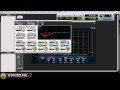
Blue Cat's FreqAnalyst is a free spectrum analyzer plug-in that lets you monitor the spectral content of your audio signal in real time. This plug-in has been designed to provide extreme smoothness and high resolution for both time and frequency: unlike most spectrum analyzers, Blue Cat's FreqAnalyst is able to display continuous variations even with a very high frequency resolution, thanks to its unique smooth interpolation algorithms.
Most aspects of the audio to frequency display conversion can be managed, which lets you total control over the monitoring. A special thresholding system has been developed to help you see the important parts of the spectrum easily. In case you need extra precision in a particular frequency range, you can zoom the display and check the part of the graph you are interested in.
This plug-in supports Blue Cat's skinning language, so that you can customize the user interface to your personal needs. For more advanced capabilities, check Blue Cat's FreqAnalyst Pro plug-in, an extended version that offers many more features, such as saving/restoring curves, precise measurement tools, 3D spectrogram view, MIDI output. For multiple tracks analysis, you can use Blue Cat's FreqAnalyst Multi plug-in.
Features
- Mono and stereo real time spectrum analyzer.
- Total control over the audio to frequencies tranformation.
- Smart interpolation algorithm for extreme display smoothness.
- Zoomable display with multiple sizes.
- Custom absolute and relative thresholds.
Blue Cat Audio Standards
- Available as: Mac-AAX, Mac-AU, Mac-RTAS, Mac-VST, Win-DX, Win-RTAS, Win-VST, Win x64-DX, Win x64-VST.
- Native DSP code for optimal performance.
- Full MIDI control and automation support with silent, zipper-free parameters update, advanced response control and MIDI Learn.
- No CPU load on idle: when the plug-in is fed with silence, the processing smoothly shuts down, to optimize the CPU usage of your Digital Audio Workstation.
- Skinnable and customizable user interface with transparency management.
- Smooth Bypass: activate/deactivate the plug-in with absolutely no noise.
- Undo/Redo.
- Full featured integrated presets manager.
- Any sample rate supported.
Supported Platforms
- Mac-AAX
- Mac-AU
- Mac-RTAS
- Mac-VST
- Win-DX
- Win-RTAS
- Win-VST
- Win x64-DX
- Win x64-VST
Installing on Mac OSX
1. The plugin is delivered as a downloadable .dmg file. Almost every internet browser will open the file right away, mounting a disk on your desktop. If not, please locate .dmg file and double click it.

2. In order to install your VST plugins, drag and drop the vst bundles to the "VST Plugins Folder" alias, or copy them manually to the /Library/Audio/Plug-Ins/VST folder manually so that your favorite host application can find the plugin.
Installing on Windows
1. Run the installer .exe file. Click Next to continue.

2. Read through Blue Cat Audio's license agreement and click "I agree..." to continue installation.

3. Select which components you wish to install from the freeware bundle and click Next to continue installation.

4. Select appropriate destination for the software and click Install to continue installation.

5. Software installation will commence.

6. Your software is now ready to use!


