





 Log In
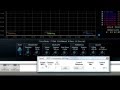
Blue Cat's FreqAnalyst Multi is a unique multiple tracks real time spectrum analyzer: it lets you visualize the spectral content of several audio tracks on the same screen with extreme smoothness and high resolution for both time and frequency. It is the ideal solution for mixing: you can use it as a frequency overlap detector and actually see which part of the spectrum every single instrument uses. It is now also possible to easily compare the spectrum of several instances (for EQ matching or response curve measurement) thanks to the new 'Diff' view which displays the difference between several curves. Just like with Blue Cat's FreqAnalyst Pro plug-in, the frequency analysis can be fine tuned in details, and three modes are offered for each channel: instant, peak or average response of several audio tracks can be displayed on the same graph (the plugin supports up to 16 curves). Zooming capabilities and coordinates display let you exactly measure the characteristics of the spectrum for each audio track.
Thanks to the advanced routing capabilities you can define different settings for each track and thus adapt the analysis for each audio signal you want to analyze. Our multiple tracks tutorial shows you how simple multiple tracks spectrum analysis can be. The four memory slots let you store any curve in memory: it helps you make comparisons between several setups or portions of your audio project very easily. Thanks to Blue Cat's skinning language support and the included window opacity management feature, you can adapt the plug-in user interface to your personal needs and enhance your workflow: work faster and more efficiently. If you are looking for a single track spectrum analyzer with a spectrogram view and audio to MIDI capabilities, check our Blue Cat's FreqAnalyst Pro plug-in.
Features
- Mono, stereo or mid/side multiple tracks real time spectrum analyzer: visualize and compare the spectrum of several audio tracks on the same screen.
- Unique data sharing technology with multi-core processors support.
- Compute and display the difference between spectra for easy EQ matching and response curve measurement.
- Total control over the analysis parameters, with slope and offset correction.
- Smart interpolation algorithm for extreme display smoothness.
- Spectrum view with zooming and precise measurement capabilities as well as note info display.
- Instant, peak and average curves display for each track.
- Save the curves for easy A/B comparison.
- Opacity control for the user interface.
- Custom absolute and relative threshold control.
Blue Cat Audio Standards
- Available as: Mac-AAX, Mac-AU, Mac-RTAS, Mac-VST, Win-DX, Win-RTAS, Win-VST, Win x64-DX, Win x64-VST.
- Native DSP code for optimal performance.
- Full MIDI control and automation support with silent, zipper-free parameters update, advanced response control and MIDI Learn.
- No CPU load on idle: when the plug-in is fed with silence, the processing smoothly shuts down, to optimize the CPU usage of your Digital Audio Workstation.
- Skinnable and customizable user interface with transparency management.
- Smooth Bypass: activate/deactivate the plug-in with absolutely no noise.
- Undo/Redo.
- Import/Export presets in a host independent format.
- Any sample rate supported.
Supported Platforms
- Mac-AAX
- Mac-AU
- Mac-RTAS
- Mac-VST
- Win-DX
- Win-RTAS
- Win-VST
- Win x64-DX
- Win x64-VST
Installing on Mac OSX
1. The plugin is delivered as a downloadable .dmg file. Almost every internet browser will open the file right away, mounting a disk on your desktop. If not, please locate .dmg file and double click it.


2. In order to install your VST plugins, drag and drop the vst bundles to the "VST Plugins Folder" alias, or copy them manually to the /Library/Audio/Plug-Ins/VST folder manually so that your favorite host application can find the plugin.
3. Following installation of the software you will be prompted to enter your registration information. Please follow this link to find out how to authorize your software. When entering your registration information, please input your Plugin Boutique email address as your username and the Key serial that will be in your Plugin Boutique account once the software has been purchased.

Installing on Windows
1. Run the installer .exe file. Click Next to continue.

2. Read through Blue Cat Audio's license agreement and click "I agree..." to continue installation.

3. Select appropriate destination for the software and click Install to continue installation.

4. Software installation will commence.

5. Following installation of the software you will be prompted to enter your registration information. Please follow this link to find out how to authorize your software. When entering your registration information, please input your Plugin Boutique email address as your username and the Key serial that will be in your Plugin Boutique account once the software has been purchased.
6. Your software is now ready to use!


