





 Log In
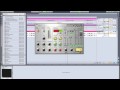
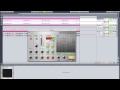
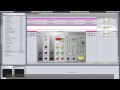
Producers know: microphone recordings all too often lack the presence and power of digital sounds. The flute, the guitar, the voice you wanted to sit on top of your track threatens to eventually drown in the surrounding sounds. Now there’s two things you can do: rob a bank and buy analog gear the size of your house – or get Sugar Bytes’ VOGUE.
VOGUE was designed to support your live recordings in the mix. Its juicy Overdrive, a 3-Band Dynamic Equalizer and an integrated multi-effect section will create that slightly overdriven analog sound you want. Blow up thinnest recordings to orchestra-size - add warmth, depth and strength to what sound cold, flat and weak - make your VOGUE heard!
Features
- Gate
- Preamp (Gain, Highpass, Overdrive)
- Compressor
- 3-Band Dynamic Equalizer
- Filter
- Delay
- Reverb
System Requirements
- PC: WinXP/Vista/7 32/64bit, 2GHz, 128MB RAM
- Mac: OSX 10.4+, 2GHz, 128MB RAM
Installation Instructions
Sugarbytes Unique is used as the example.
1. Once purchased, your Sugarbytes serial will be available in your Plugin Boutique User Account and confirmation email. Head over to this link in order to register and receive your full installer. Enter your email address and the serial of the product you have purchased.

2. It will then say that your registration was successful. Select Download full versions now to continue.
3. Please enter your email address and serial number again and select Login to continue.
4. You are now able to download your full installers, in both and Mac and PC formats.

5. Unzip the folder supplied and run the installer. Select Next to continue.
6. Read through the License Agreement and select I Agree in order to continue.
7. Please enter the serial that is available in your Plugin Boutique User Account and/or purchase confirmation email.
8. Select which Plugin formats you would like to install.

9. Select where you would like the Plugin to be saved to on your computer.

10. Your Sugarbytes software is now ready to be installed. Select Install.
11. Your Sugarbytes software is now installed. Open up your DAW and enjoy!


