





 Log In
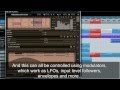

MRhythmizer is a unique time manipulation effect that uses an integrated sequencer to control time, volume and filters. From gating to glitching, repeating to scratching, all with stunning audio quality. MRhythmizer brings your music to life, so say goodbye to boring audio performances!
Features
- 36 available sequences for time, 36 available sequences for volume and 36 available sequences for filter - each sequence can be up to 64 quarter notes long and automatically synchronize with the song, time sequences can look up to 8 quarter notes into the past.
- Controllable via MIDI, modulation and automation - switch between sequences using the controller you like the most, whether it is MIDI keyboard, MIDI pad-type controller or even if you like to automate it in your host. You can even attach it to a modulator so that it switches automatically!
- Scratching slider - whenever you like to add some scratches, it is as easy as moving a slider.
- 4 global modulators - in each instance you can have up to 4 fully-featured modulators that can modulate any set of parameters including other modulators! In this way you can make the sound move in time, be less static and more interesting. Each modulator works as LFO, follower, midi/audio triggered ADSR envelopes, a pitch detector or even a combination.
- Up to 8 channels surround processing - our plugins can handle not only mono and stereo signals, but also up to 8 channels of surround audio, making them ideal for audio production for movies, games etc.
- Sinc interpolation and high-quality upsampling - MRhythmizer implements the most advanced technologies to provide the best audio quality.
- Extremely advanced and easy-to-use user interface - our products are always designed to enhance the workflow. You can easily change all values, fine-tune each control in multiple ways. Easy orientation in a standardized GUI, textual editing and smooth visualization with almost unlimited zooming are standard in all of our plugins. Moreover our plugins are the world first (and still the only ones), which support resizable and stylable GUI's
- Automatic synchronization to host tempo - every oscillator and modulator in the plugin can automatically synchronize to the host providing as natural a sound as possible while not offending other tracks.
- MIDI controllers with MIDI learn - you can map any parameter to any MIDI controller or MIDI keyboard and control it realtime or record and automate it.
- Very fast, optimized for SSE and SSE2 processors.
- Global preset management and online preset exchange - using a title button you can save your settings (which are shared on the computer) so you can easily access these in other songs. Moreover all plugins can automatically share your presets and download presets of other users from our servers (if this feature is enabled). We are building a community and you can be a part of it!
Requires
- Windows XP/Vista/7 (32-bit or 64-bit)
- VST/VST3 compatible host (32-bit or 64-bit)
- RTAS compatibility is being implemented
- Intel/AMD processor, SSE2 & multi-core support recommended
- With ImageLine FL Studio please do NOT use VST3 at the moment. Problems shall be fixed in a FL Studio update.
- Mac OS X (10.5 and newer)
- VST/VST3/AU compatible host (32-bit)
- RTAS and 64-bit compatibility is being implemented.
- Intel/AMD processor, SSE2 & multi-core support recommended.
- Please always check the demoversion before purchasing to avoid potential compatibility problems.
AU version is not compatible with Apple SoundTrack Pro and Vienna Ensemble. - 64-bit Windows note - the plugin version must be compatible with your host. On 64-bit operating system you can have 32-bit and 64-bit hosts. If your host is 64-bit, you need 64-bit version of our plugins. If your host is 32-bit, you have to use 32-bit version of our plugins.
- Licence protection - The software currently uses keyfile licencing. No dongles, hardware devices nor internet connection are required. Keyfiles contain your personal information, so if you share it, you will be traced and prosecuted.
Installing Melda
1. Double click the installer file and follow these on screen instructions (example shows MTotal Bundle for demonstration puroposes)
2. Click Next to continue.

3. Read through the license agreement and click Next to continue.

4. Select the components you wish to install.

5. Specify your installation directories, then click Next.

6. Your Melda software will now be installed onto your computer.

7. Go to this URL http://meldaproduction.com/getlicencefile.php to activate your License Key. Fill in the on screen information and click Submit. Enter the serial displayed in your Plugin Boutique User Account Area or purcahse confirmation email into the Your License Key box.

8. Now download your license file.

9. Open up your purchased software and drag and drop the licence_???????.mlf onto the plugin main window. A new screen appears with your details will appear, if the information displayed is correct press the tick and you install is complete.


