





 Log In
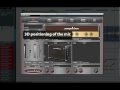
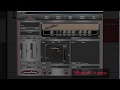
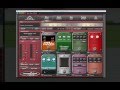
AmpLion is and ultra-precise simulation of guitar amps, effects, cabinets and pickup microphones of worldwide-know manufacturers and types. It offers an all-in-one solution for every guitarist. All the equipment is just a click away. And thanks to the Live mode and the implemented MIDI control, you can boldly enter the stage with no more stuff than your computer, audio interface and MIDI foot controller!
The signal path corresponds with arrangement of classic guitar gear: 8 positions for stomp-box effects, amplifier with a spring reverb and an effect loop and two independent speaker cabinets with individual pickup microphones.
The most advanced technologies were used in the simulation algorithms of ampLion. Thanks to this the resulting sound is indistinguishable from the real-world models.
Features
- 30 effects
- 9 preamps
- 7 powerams
- 12 speakers
- 8 microphone models
- Live mode for playing on stage
- Simulation of two independent speakers
System Requirements
PC
- CPU with SSE2 support (Intel Pentium 4 or AMD Athlon 64 and newer)
- Windows XP, Vista, 7 (32-bit/64-bit)
- CPU speed 1.6 GHz, recommended 2 GHz
- 200 MB of HDD space
- VST/RTAS host application
Mac
- PowerPC G4, G5 or Intel Core
- Mac OS X 10.5+
- CPU speed 1.6 GHz, recommended 2 GHz
- 200 MB of HDD space
- VST/RTAS host application
Available Interfaces
- VST
- RTAS
Installing on Mac
1. Unzip and mount the provided disk image and run the installer. (The Image below shows GK Amplification Pro 2. This has been used for demonstration purposes only)

2. Read through the License Agreement and select Continue to proceed with Installation.

3. You will now have to add your registration details, provide a Username, Organization and the Serial Number that will be in your PluginBoutique user account after purchase, you will also find the serial in your confirmation email. (The Image below shows GK Amplification Pro 2. This has been used for demonstration purposes only)

4. Select the Install location. It will default to your Macintosh HD.

5. Installation is now complete.

Installing on Windows
1. Unzip and run the installer and follow the on-screen instructions.

2. Read through the License Agreement and select I accept to continue with installation.

3. Enter a User Name, Organization and the serial that we have provided after purchase. The serial can be found in your profile area.

4. Select the destination for your software to be saved. (The image below states GK Amplification 2 Pro for demonstration purposes)

5. Select which components you would like to install and then select Next to continue. (The image below states GK Amplification 2 Pro for demonstration purposes)

6. Then select where these will be stored or just click Next to use the default folder.

7. Select where you would like the program's shortcut to be held.

8. Your software is now ready to install. Select Install to proceed.

9. Installtion is now complete.


