





 Log In
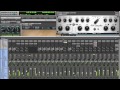
PSP SpringBox is an emulation of a hardware spring reverberator (VST, AAX and RTAS for Windows; AudioUnit, VST, AAX and RTAS for Mac OSX). It recreates several features typical of a spring reverb, such as a convincing “boing” on transients and a repeatable resonating musical character with an adjustable presence. A selection of configurations from two to six springs total is provided, as well as the ability to set stereo spread and pan/balance configured to suit various mix setups - from a typical guitar reverb to a creative uses as a send reverb in the mix. Thanks to PSP SpringBox’s two channel A and B settings setup and range of presets operation is fast and easy.
System Requirements
PC
- VST
- Windows x32 or x64 (XP Service Pack 2, Vista or 7)
- VST 2.4 compatible application
- RTAS
- Windows x32 or x64 (XP Service Pack 2, Vista or 7)
- ProTools LE 8.0.0 or ProTools TDM 8.0.0 (or later)
- AAX
- Windows x32 or x64 (XP Service Pack 2, Vista or 7)
- Pro Tools 10 or Pro Tools HD 10
Mac (intel)
- AudioUnit
- Mac OSX 10.5 or later
- 32 or 64-bit host application capable of running AudioUnit plug-ins with Cocoa view
- VST
- Mac OSX 10.5 or later
- 32 or 64-bit VST 2.4 compatible host application
- RTAS
- Mac OSX 10.5 or later
- ProTools LE 8.0.0 or ProTools TDM 8.0.0 (or later)
- AAX
- Mac OSX 10.7 or later
- Pro Tools 10 or Pro Tools HD 10
Steve Levine
Everyone who knows me, knows I love spring reverb (both real springs & plug-ins). The new PSP SpringBox is a very interesting take on the concept. Many plug-ins by other companies take the path of those you might find in a guitar amp or stomp pedals and I love them. With PSP SpringBox PSP aims towards the highend quality studio spring reverb. Sonically I find it very similar to the much sought after vintage studio units. These units are often expensive, if you can find one and require a quiet, large space in your studio. PSP SpringBox gives you the sonics without the cost or hassle. Even if you already own lots of spring reverbs (as I do) you should add this to your collection.
Dre Skull
The PSP SpringBox gives me the classic character of an outboard Spring Reverb unit with the incredible parameter control of a plugin. I've been messing around and using it on vocal busses, all sorts of synths and different EFX chains, and it's helping me find new sounds. Great plugin!
Count
PSP SpringBox is a really surprising plugin that I've already found tons of uses for that I didn't think I needed. Its amazing on guitars. I've been using it on close mic'd mono acoustic guitars and mono synths to give them tons of life plus a stereo image. It really helps revive an otherwise boring, dry track. Even when used subtly, SpringBox makes a huge difference.
Installing on Mac
1. Open up .dmg double click the installer file. (PSP Vintage Warmer 2 is used as the example)

2. Read the introduction and click Continue.

3. Click Continue.

4. Read through the License Software Agreement and click Continue and Agree.

5. Click Install.

6. You will then be asked to input your administrator password.

7. Installtion Complete.

8. Go this URL https://www.pspaudioware.net/register/login.php and sign up for an account with PSP.

9. Select Manual Activation and input the serial that resides in your Plugin Boutique User Account or purchase confirmation email. Then in your PSP Customer account you will be able to view your registration key.

10. Open up your purchased PSP software (e.g is Lexicon PSP) and enter your PSP authorization name and registration key in your PSP customer account, then click Activate.


