





 Log In
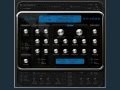
An advanced, transparent and musical algorithm reverb with easy controls.
You’ve spent hours on your track—working and reworking every part to bring your musical vision to life. And you know that the quality of your reverb can be the difference between the rich sounding mix you’re after and one that comes off as flat and artificial.
When it comes to pristine, authentic reverb, it’s the algorithm that counts. RP-Verb is the fruit of Rob Papen’s decades-long study of reverb and endless hours of exploring, testing, and tweaking by Rob and Jon Ayres. The result is a musical reverb that brings an a unique dimension and fullness to your mixes.
If you’re thinking that this sound quality must come at the cost of usability, fear not—RP-Verb has a straightforward, intuitive interface that puts all the most essential parameters right at your fingertips. And like all Rob Papen plug-ins, it inspires right out of the box with spot-on presets that range from intimate venues to abstract, surreal spaces.
RP-Verb is the reverb you’ve waited years to have in your setup. Try it out for yourself and see why pros describe it with one word - ´amazing´.
Features
Main Section
- Dry / wet control with FX bypass button
- HQ Mode on/off
- ECS (external controler setup)
- ? brings up the ´Quick Manual´
Preset Section
- Uses sound banks composed of 128 presets.
- Preset handling with copy, paste, clear and compare function.
- ´Quick Browser´, ´Recently Browsed´ and ´Favorite´ functions.
- Presets are stored in clear categories banks.
Distortion
- Tube saturation distortion
- Amount control
Ensemble
- Multi voice chorus
- Amount control
- Routing into reverb or direct + reverb
- Volume control
Early Reflections
- Complex Early reflection algorithm
NOW INCLUDES RP-DELAY!
The perfect accompaniment to RP-Verb, this latest effects plug-in from Rob Papen includes numerous new features that will transform the way you mix your music – whether it be electro dance vocals or acoustic orchestral instruments.
RP-Delay is a unique delay with a particular focus on some very special features, including brand new FX routing! To explain, the sound reverser can reverse the input, while simultaneously reversing one of the delay lines. The reverse sound can also be triggered via a midi keyboard, generating totally new sounds, and sending them into the reverser with its own filter and distortion!
RP-Delay allows users to have 6 delay lines with 8 active multi-mode filters all operating at once in each of several delay models. In addition to the basic delay models like a simple mono delay and a stereo delay, Rob Papen has included a tape-sound delay allowing users to change tape length without any clicks. The delays, filters, and reverser can all be modulated by the built-in modulators. There are 4 modulation sequencers, 4 LFOs, and 4 envelopes, complete with several trigger options!
There are many other new features and options for you to discover which aren´t mentioned here, so go ahead, take the plunge, and dig into the brand new experience of RP-Delay with the FREE demo version, available to download.
Please note...
This demo product will be usable in your host (music software) for 30 minutes at a time, and for 30 days time in total. After this period, noise is added to the sound. A minimal amount of presets are inside the demo version and all bank and preset loading or saving is disabled.
System Requirements
- Windows XP, Vista or Windows 7, RTAS (26,5Mb); VST 32/64 Bits (54,6Mb)
- Mac OSX 10.5 or higher, AAX (43Mb); AU & VST 64Bits (87,5Mb); AU, VST & RTAS, 32Bits (147,7Mb); Tiger (OS-X 10.4) AU, VST and RTAS (147,1Mb), AAX OSX 10.8 with Pro Tools 10 now supported.
Awards
[Blade is used as the example]
1. Visit https://www.robpapen.com/yourdetails/
2. Create an Account and Log In

3. Within the downloads tab, download your specific install file. From this drop down you will also be able to download the product’s manual.

4. Run the install file within the downloaded zip file.

5. A Welcome Screen will appear, click Next

6. Read the Terms and if you agree select ‘’I accept the agreement’’ then click Next


8. Select Destination Location. Click Next

9. Select Components. Click Next


11. Review your install. Click Install to proceed.

12. Click Finish to complete installation.


