





 Log In

Features
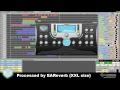
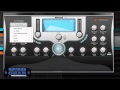
- Ultra-natural sounding reverb unit.
- 100% algorithmic.
- True stereo.
- Customizable early reflections.
- Comprehensive Multiband Stereo module.
- Easy to use.
System Requirements
- PC
- Operating system: Windows XP, Windows Vista or Windows 7 (32 or 64 bits)
- Processor: Pentium IV or Athlon (minimum)
- RAM: 1Gb (recommended)
- Mac:
- Operating system: Mac OSX (10.5 or later)
- Processor: Intel Core 2 Duo (minimum)
- RAM: 1Gb (recommended)
- This product is a set of 32/64 bit VST/AU plugins for Mac OSX
Rob Heaney
"Sending you some words of Happiness. Got into EAReverb and I'm severely digging it in a BIG WAY !!
1. Open up the installer that is available in your Plugin Boutique User Account once purchased.
2. Read through the License Agreement and select Next to continue.
3. Choose where you would like install your software.
4. Go to this URL - www.eareckon.com and register an account with eaReckon in order to receive your Challenge Response code.

5. Select the Products Registration tab.
6. You will now need to register the serial number that is available in your Plugin Boutique User Account and purcahse confirmation email.

7. Launch the EAReverb in your preferred DAW and you shall see a Hardware ID number.

8. Go to the Products Registration page at www.eareckon.com and register your Hardware ID to receive your Authorization Code.

9. Once the Authorization Code is generated go back to your loaded up software and enter your serial number (available in your eaReckon, Plugin Boutique Account and purchase confirmation email) and enter the generated Authorization Code that has just been generated in your eaReckon account.


