





 Log In
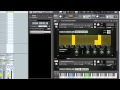
AudioRaiders has invaded Sasha’s studio to bring you the first collection of software instruments and sample libraries that truly capture his sound.
If you’ve ever had an epic club night – one of those evenings you stayed out until the sun was rising and woke up feeling alive like never before – then you’ve likely already heard a Sasha track. His music has touched and inspired two generations of dance music fans. Now, you can use his sounds and techniques for your productions.
Any successful producer will tell you that you’ll never create a chart-topping song by simply layering stock samples on top of each other. You need to customize and create your own style. That’s exactly what Sasha Soundlab lets you do.
- Modify pitch, envelopes, velocity and filters.
- Shape sounds with real-time multi-effects.
- Use the Glitch Machine to add dynamic fills and transitions.
This is a powerful tool for DJs, dance music producers and composers of all levels – whether you want to crack the Beatport Top 10, create an authentic club track for a film score or add original music to your mix.
- 20 pad and lead synths
- 69 drum and percussion kits
- 100 customizable loops and grooves
Hundreds of amazing sounds, made by Sasha himself, using racks of gear most of us can only dream of owning.
- Samples processed through stomp boxes, tube pre-amps and more.
- Drum machines loaded with grooves that will instantly rock the dance floor.
- Classic step sequencer
Features
- Over 4000 sounds
- 100 loops & grooves
- 220 fully-customizable instruments
System Requirements
- Powered by Kontakt (VST / AU / RTAS / Pro Tools 8 & Higher)
- Windows Windows 7 (latest Service Pack, 32/64 Bit), Intel Core Duo or AMD Athlon 64, 2 GB RAM
- Mac Mac OS X 10.6 (latest update) or 10.7, Intel Core Duo, 2 GB RAM}
Nick Warren
Wow the Sasha Soundlab is ace, wicked sounds and so much room for manipulation. An essential piece of new kit, which is nice!
Joel Mull
All the sounds are super and easily fit in my pallet. From drum sounds to the spaced out multi fx – Its all there.
Hybrid Soundsystem
This product is ground breaking in all respects, it let’s you see inside the mind of Sasha and his production and techniques.
Installation
Follow these steps to install you AudioRadiers software
1. Download Sasha Soundlab from your Plugin Boutique account.
2. Download the Free Kontakt Player from Native Instruments here:
3. After downloading you can move the Sasha Soundlab folder to an easily accessible location anywhere on your machine.
4. Double click on the Kontakt player installer you received from Native Instruments and follow the installation instructions.
5. Then Simply open the Kontakt Player or your full version of Kontakt. In the top left hand corner you’ll see the Add Library menu.
6. Choose the location on your drive where you left the Sasha Soundlab folder. This will open the Service Center where you can create an account to register the software. Before finishing you’ll be prompted to enter the serial number that came with your purchase receipt.


