





 Log In
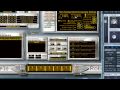
SampleRobot Multi-X offers a lot of professional auto-sampling features at a reasonable price. From the time saving Instrument Copier function to auto-loop processing and multi-format export there is all you need for your sampling projects. The graphical interface is very easy to use. Beginners can achieve excellent results with just a few mouse clicks.
With WaveRobot you will create perfect loops. The different loop modes and crossfades give you a lot of creative freedom to shape the loops to your needs. You can do things that cannot be done with any other application available.
Features
- Fast sampling process.
- Fully automated workflow.
- Many export formats.
- Intuitive project assistant.
- Sophisticated auto-loop processing and editing.
- 24 bit recording and sample-rendering (Pro).
- MIDI monitor, MIDI controller support (Pro).
- Release-sample support (Pro).
- WaveRobot included (Pro) / as an option (Multi-X)
- Over 1 GB (Pro) / 800 MB (Multi-X) premium multi-samples taken from classic synthesizers included.
Benefits
- Feed your compositions with inspiring samples from the world outside your studio.
- Create digital copies of your favorite instruments and sounds.
- Borrow instruments and keep a virtual copy (abiding by relevant copyright laws and license agreements of course).
- Shape optimum loops for your Live arrangements.
- Build and sell/share your own sample libraries.
- Have all your sound hardware on your hard disk and travel with your laptop.
- Buy used gear and resell it after automatic sampling.
- Use all your software instruments cross-platform.
- Work in other studios or on stage without carrying additional sound expanders.
- Play monophonic instruments polyphonically.
- Have total recall and editing capabilities for all instruments in every session.
System Requirements
- Mac: Apple Mac Intel 1.8 GHz, OS 10.6.4 or higher, 400 MB hard drive space. SampleRobot Mac OS X installation is based on Wine framework.
- PC: Pentium 3, 667 MHz, Windows XP SP2/Vista/7 (32 + 64 bit), 200 MB hard drive space.
Installation Instructions
1. Double click on the installer package and click Next. (Multi-X images used for demonstration purposes)

2. Read through the Sample Robot License Agreement and select I Agree

3. Enter your User Information and select Next

4. Select the file directory in which Sample Robot will be saved.

5. Click Next to install Sample Robot.
6. Read through Sample Robot's Version documentation and select Next

7. Select Finish once Sample Robot has installed

8. Load up Sample Robot. Input the serial number you received on purchase and select Generate Challenge Code. Your serial will be in your User Account area and in your purchase confirmation email. Then click Connect to Sample Robot Website For Activation.

9. Register your account with Skylife. You will then receive an email that will allow you to activate your account.

10. Log into your Skylife account and input your Generated Challenge Code.

11. You will then receive an email from Skylife with your Response Code. Input this into your Sample Robot Activation window and Sample Robot will now be activated.


