





 Log In
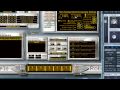
SampleRobot 4 Multi-X is a sampling application which is affordable for all musicians and producers. It makes creation of your own sampling instruments joyful.
With SampleRobot 4 Multi-X you will get a software package to master all sampling challenges elegantly and fast. Therefore SampleRobot 4 Multi-X offers a comprehensive and sophisticated set of tools for instrument mapping and export, auto sampling, batch and auto-loop processing.
SampleRobot Multi-X can be expanded with WaveRobot for professional loop editing. It was never easier to build sample-based instruments on a professional top quality level. The new Instrument Copier functions enables you to sample and export a whole sound bank of a synthesizer or MIDI module in one go.
SampleRobot 4 Multi-X contains the following products:
- SampleRobot 4 Multi-X
- WaveRobot 4 (as an option)
- More than 800 MB of premium samples in Soundfont 2 file format
Clever Instrument Creation
With SampleRobot 4 Multi-X you can easily do automatic sampling of acoustic, electronic and even virtual instruments. Remote control your MIDI gear and sample all sound nuances fully automatically. Seamless integrated Note-Loop-Release editor lets you find perfect loop points even for whole multi-samples with different velocity layers during recording. Also beginners can achieve excellent results with just a few mouse clicks
Features
- Turn acoustic and electronic instruments, voices and noises into virtual instruments fast.
- Fully automated sampling.
- Intuitive project assistant.
- Sophisticated auto-loop processing and editing Sampling of virtual instruments.
- Direct sample playback in your preferred DAW Audio batch .
- Processing, auto-loop, resampling, normalizing, gaining, fading.
- Many export formats.
- Export samples directly to your synthesizer or sampler (e.g. Waldorf Blofeld)
- MIDI remote control, incl. program changes, multi-velocity layering.
- Optimum loop handling incl. forward-backward loop with 2 independent crossfades and auto-gain functionality.
- Expandable with WaveRobot loop editing software Premium multi-samples from classic synthesizers included.
System Requirements
- SampleRobot 4 Multi-X works with Windows XP / Vista / 7.
- Mac Users: SampleRobot 4 Multi-X will work on any Intel-based Mac with Bootcamp and Parallels Desktop for Mac
1. Double click on the installer package and click Next.

2. Read through the Sample Robot License Agreement and select I Agree

3. Enter your User Information and select Next

4. Select the file directory in which Sample Robot will be saved.

5. Click Next to install Sample Robot.
6. Read through Sample Robot's Version documentation and select Next

7. Select Finish once Sample Robot has installed

8. Load up Sample Robot. Input the serial number you received on purchase and select Generate Challenge Code. Your serial will be in your User Account area and in your purchase confirmation email. Then click Connect to Sample Robot Website For Activation.

9. Register your account with Skylife. You will then receive an email that will allow you to activate your account.

10. Log into your Skylife account and input your Generated Challenge Code.

11. You will then receive an email from Skylife with your Response Code. Input this into your Sample Robot Activation window and Sample Robot will now be activated.


