





 Log In
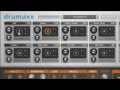
The Drumaxx percussion modelling instrument gives you total control over 16 physically modelled drum pads that can be routed to independent outputs for external effects processing.
More than just drum samples.
Great, but why should you care when the internet is awash with drum samples? In two words, expressive control. Once a drum sound is recorded, the performance and modulation options are limited to filtering, volume, or similar 1-dimensional effects. When a single drum sample is triggered in a roll, you get the familiar 'machine-gun' effect and it just sounds mechanical. Multi-sampled, multi-layered drums can overcome this limitation but need multi-megabyte or even Gigabyte! drum libraries. Even then, you are still limited to the sounds originally recorded.
Modelling algorithms for better sounds.
Drumaxx is not based on samples or even commonly used 'synthesis' techniques, where oscillators are mixed and the result is always 'electronic'. Drumaxx uses modelling algorithms to create bass drums, hi-hats, snares, realistic and electronic sounds too. But what about the traditional 'Achilles' heel' of synthesis, cymbals? Drumaxx creates cymbals and metallic percussion also.
Read How To Activate Your Image Line Products
Features
- 16 Physically modelled drum pads.
- Multi-output for individual effects processing on each pad.
- Huge range of modelling possibilities covering sounds from cymbals to kettle-drums.
- Velocity modulation matrix for detailed expressiveness.
- Integrated Stepsequencer with trigger-key playback.
- Integrated effects.
- Single-pad version 'Drumpad' available for tight integration with FL Studio
Requires
PC:
- Windows 7, Vista, XP (SP2) - (32 & 64 Bit)
- 2Ghz AMD or Intel Pentium 3 compatible CPU with full SSE1 support.
- 512Mb RAM.
- 30Mb free disc space.
- DirectSound or ASIO compatible soundcard.
Mac:
- OSX v10.4 (Universal Binary)
- G4 1.5 GHz or Intel Core Duo family.
- 512Mb RAM.
- 30Mb free disc space.
- CoreAudio drivers.
Installation
1.Double click the installer file and follow the on screen instructions.
2. Click the Image-Line User Profile link to download your registration key.

3. Register an account with Image-Line to retrieve your Registration Key.

4. In order to get a registration key you will have to Input the serial that is in your Plugin Boutique User Account Area or confrimation purchase email.

5. Read through Image-Line registration page and add your inputed serial. (example is blank for demonstration purposes)

6. Click Next to add your chosen Image-Line software to your account (example is Sytrus for demonstration purposes).

7. Completing your Registration window will appear.

8. Go to My Licenses in your Image-Line account and press the Click to Unlock This Product.

9. Double click on the downloaded FL Reg Key and follow the onscreen instructions to unlock your Image-Line product.


